Influencer Marketing for Small Businesses: Shortlist Without a Big Budget
Influencer marketing for small business: check handles you already have on a free public card, compare on one model, add a $0.99 report only if needed.
This versioned composite uses only available public signals. Missing factors stay unavailable and their weight is rebalanced across observed factors. It is not a percentile, price estimate, or guarantee of campaign results. Model 2026-08-18.1.
A small business can screen creators without a big budget by looking up the handles it already has on InfScore's free public card, comparing them on one model id, and buying a report only for the creators it needs more detail on. The card needs no sign-up. You keep the list in your own sheet, the manual checks and the outreach stay with you, and model 2026-08-18.1 is versioned, so write it beside every score. It is not a percentile, price estimate, or guarantee of campaign results.
Start with the handles you already have
The first handles to open are usually ones the business already knows: customers who post the product, local creators whose work you follow, and people who tag the shop. Write each handle, or its profile URL, on a row in a sheet you control. That sheet is the whole list, since InfScore has no compare, shortlist, sort, or export feature and doesn't store, reorder, or hand back your rows. Once you have your list, see how to set an influencer marketing budget for the lines to plan before you contact anyone.
Open the free public card and paste the handle or the profile URL. The card is public, and there's no sign-up. If a post shows a face but no handle, copy the handle from the post that tagged you and look that one up.
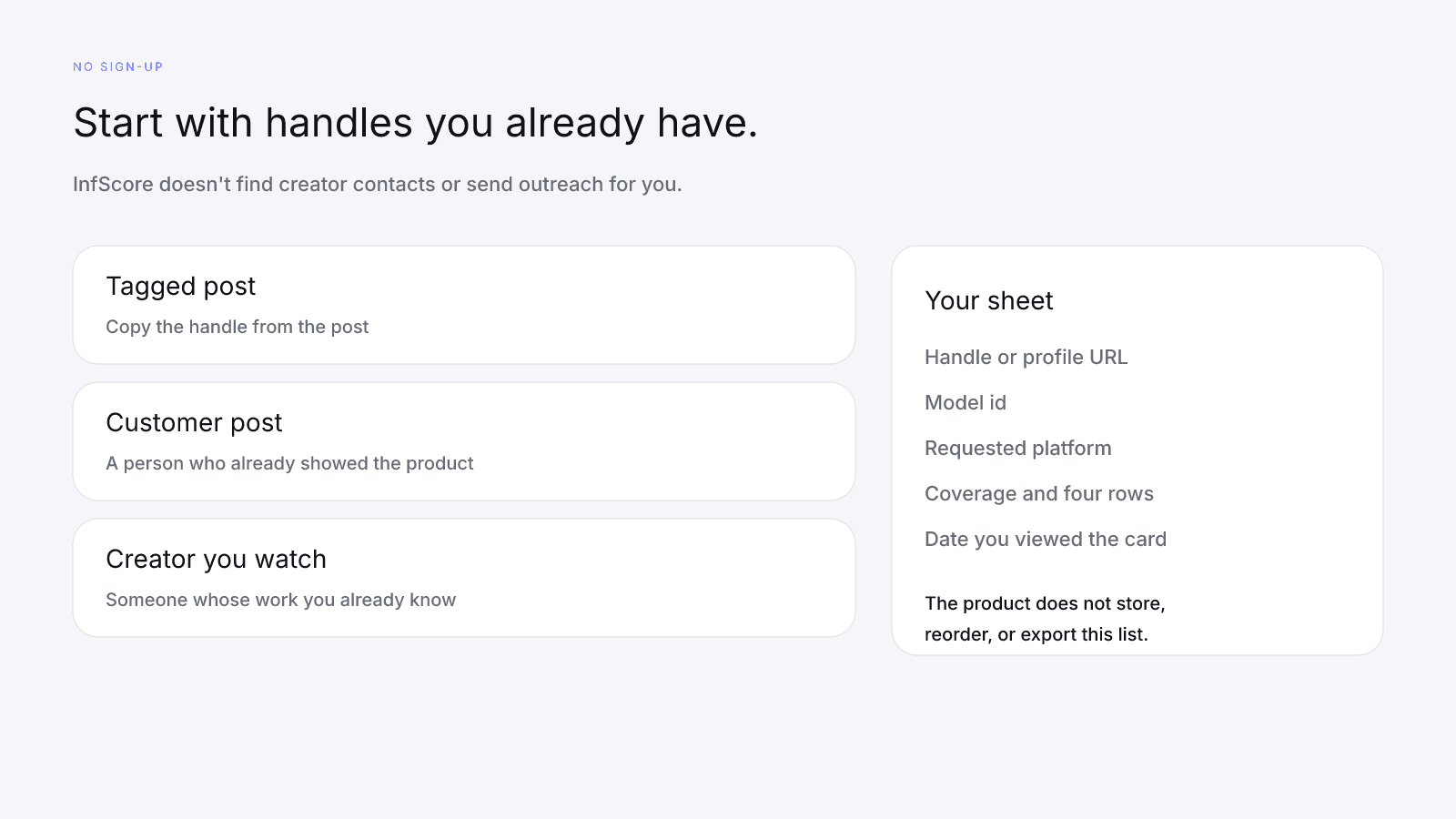
Give each lookup its own row, even when two handles belong to the same person, and don't average an Instagram card with a TikTok card. Keep the model id, the requested platform, the coverage line, the four factor rows, and the date you viewed the card, because the free card prints no date. When a lookup comes back as "Not found" or "Unavailable", write those words down. Don't type 0 for a card that never showed 0.
What the free public card shows
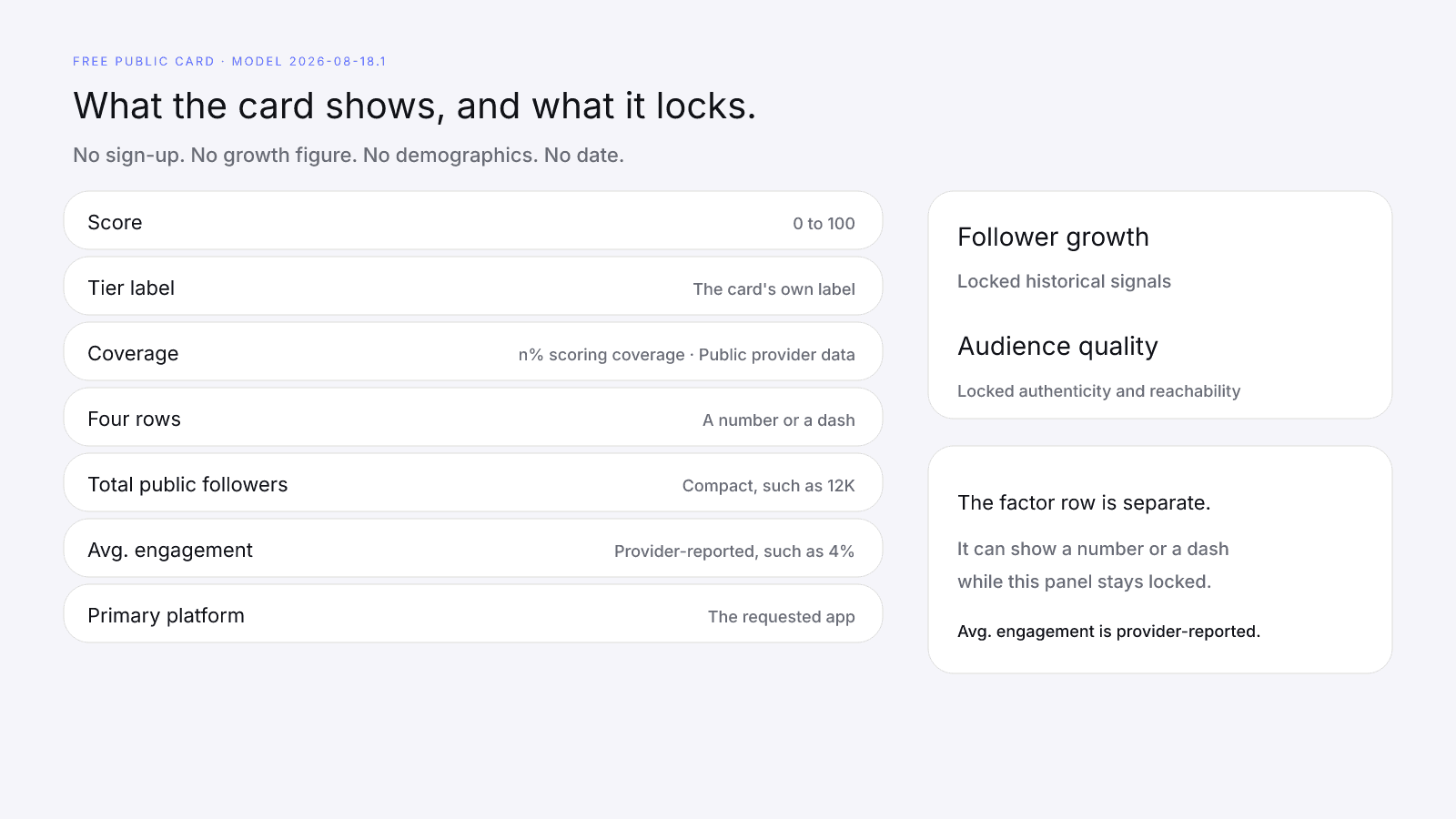
The card is public and needs no sign-up. It shows a score from 0 to 100 and a coverage line printed as "{n}% scoring coverage · Public provider data", with n filled in. Under that come four factor rows, each a number or a dash, along with Total public followers, Avg. engagement, and Primary platform. Avg. engagement is provider-reported.
The free card shows no growth figure, no audience demographics and no date. Growth sits behind a locked panel titled "Follower growth" and subtitled "Locked historical signals". Influencer Follower Growth: What 12-Month Growth Does to a Score explains the figure the free card keeps off the page.
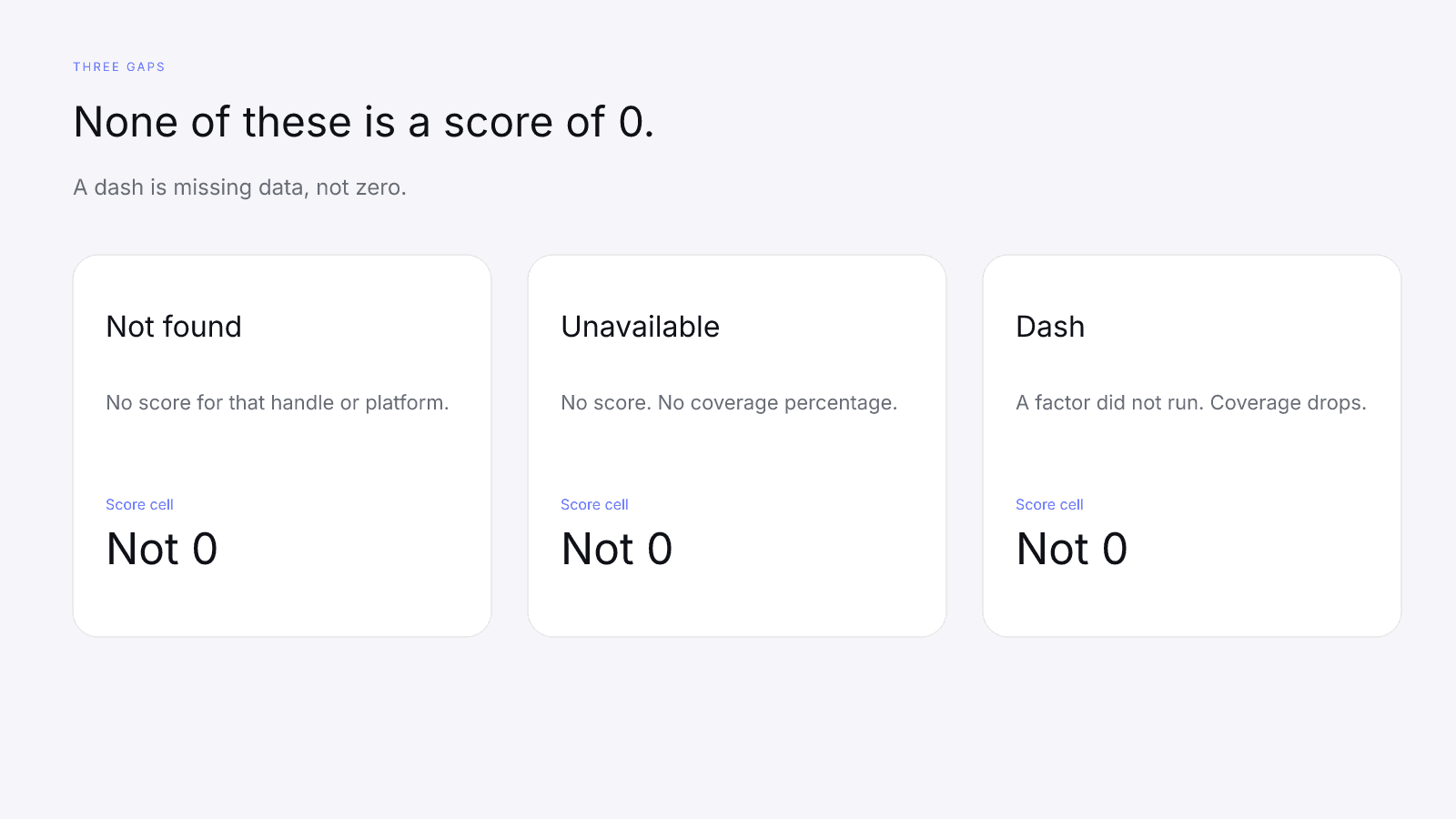
Not found is a 404. It comes back when the requested platform has no followers and no engagement, when that platform is missing, or when the handle is unknown. Unavailable is what the card shows when the fetch fails: the number shown is a dash, and the coverage line gives no percentage, reading "Unavailable" or a note to try again later. Neither one is a score of 0, so write the word in the score cell along with the date you tried.
Compare creators on one model id
You do the comparing on your own sheet, because the product won't line the cards up or rank them. The composite is versioned, so the same handle can print a different 0–100 under a different model id. Read rows together only on the same model id and the same requested platform. The worked cards below use model 2026-08-18.1.
On model 2026-08-18.1 the weights are audience quality 32%, engagement strength 27%, reach and momentum 23%, and platform strength 18%. What Is an Influencer Score? How InfScore Builds One explains how the four rows combine into the composite.
The requested platform is the app the lookup asked to score, and provider-reported Avg. engagement and the audience-quality row both belong to that request. On the cards here, Primary platform matches it. A creator who posts on two apps can show a different card when you request the other app, so give the requested platform its own column.
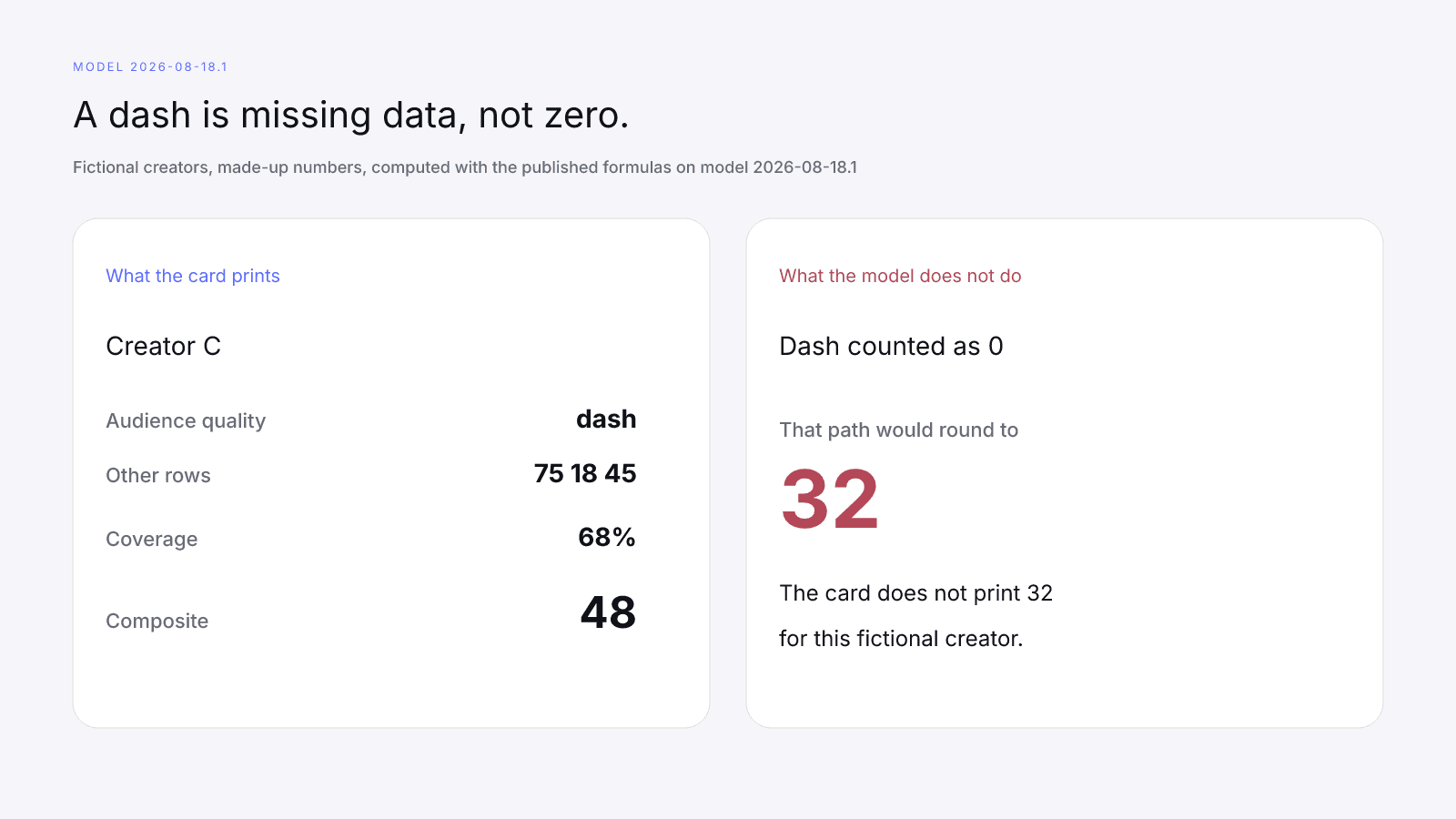
A dash is missing data, not zero. The missing factor is held out and coverage drops, and Missing Data on Creator Metrics walks through the arithmetic. Copy a dash as a dash rather than typing 0 in its place.
Comparing Two Creators Fairly With InfScore covers matching the lookup, and What Brands Should Read First on an InfScore Card puts the model id and the coverage line ahead of the composite.
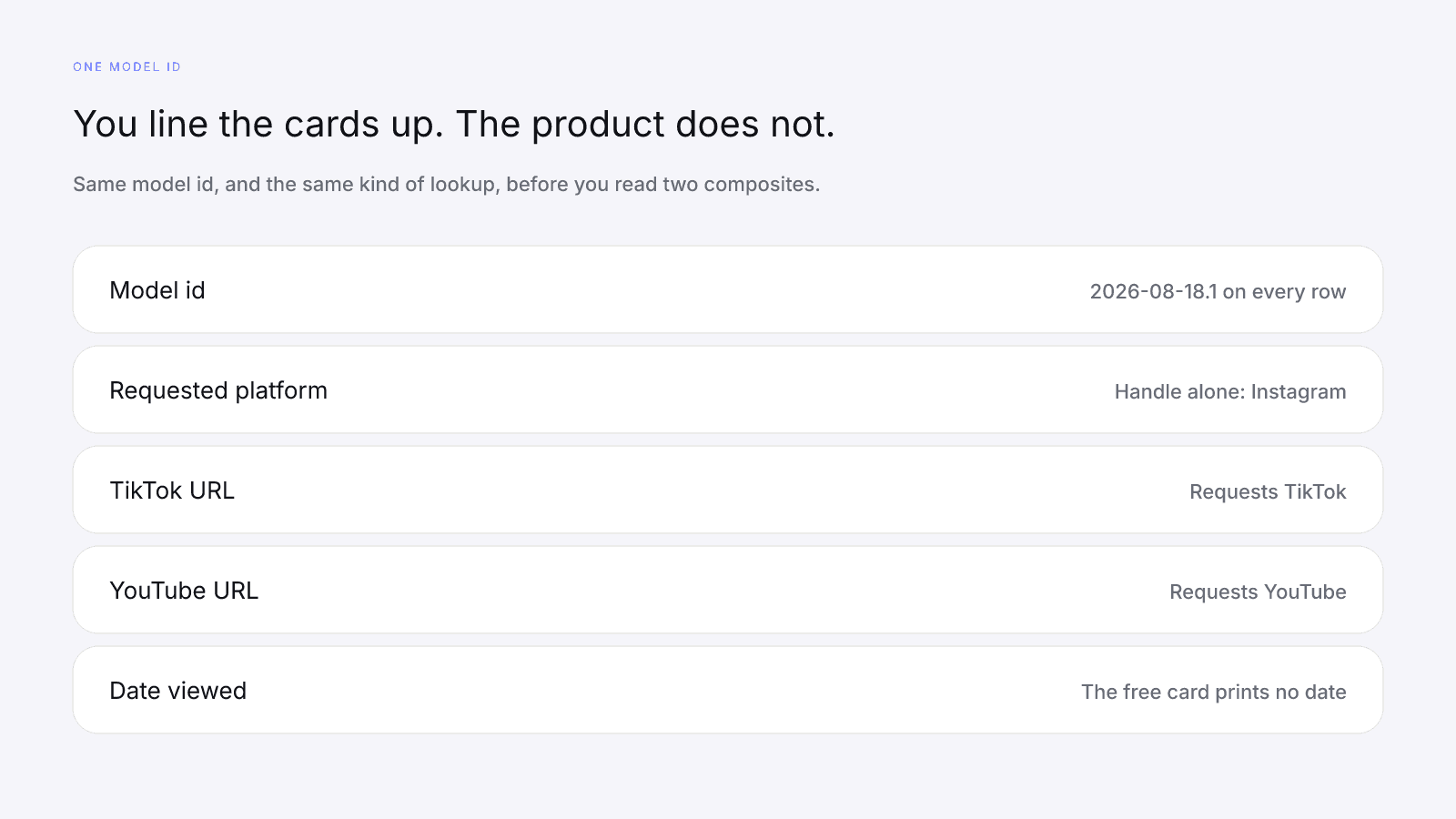
Read the four factor rows and the coverage line before the composite. Two cards with close composites can still differ in every row, and moving the larger composite up the sheet isn't a recommendation.
A worked example with three fictional creators
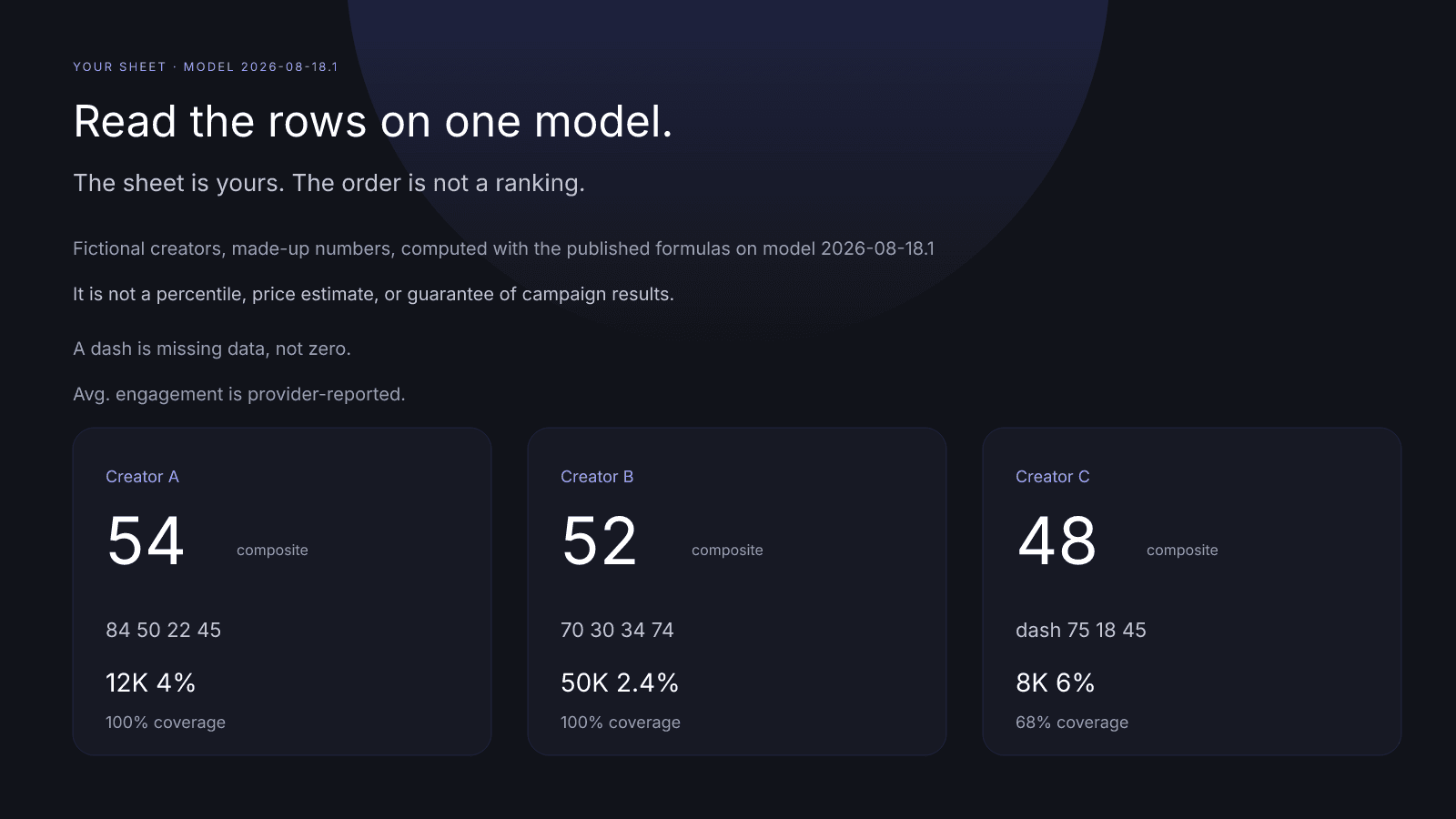
Fictional creators, made-up numbers, computed with the published formulas on model 2026-08-18.1. A bakery has three handles from its own tagged posts, and none of the three cards was given a growth figure.
Creator A was requested on Instagram, the only audience in the inputs. Total public followers are 12,000, which the card shows as 12K, and Avg. engagement is 4%, provider-reported. Audience quality prints as 84 on its row, so copy 84 rather than a fraction of it. The rows read 84, 50, 22, and 45, the composite is 54, and the line says "100% scoring coverage · Public provider data". Primary platform is Instagram.
Creator B was also requested on Instagram. The inputs are 40,000 Instagram followers and 10,000 TikTok followers, a 50,000 total that the card shows as 50K without splitting it by app. Avg. engagement is 2.4%, provider-reported, and the rows are 70, 30, 34, and 74, for a composite of 52 with "100% scoring coverage · Public provider data". Primary platform is Instagram, and platform strength reaches 74 because both audiences were observed.
Creator C was requested on TikTok, the only audience in the inputs. Total public followers are 8,000, shown as 8K, and Avg. engagement is 6%, provider-reported. Audience quality is missing, so that row is a dash, and the other rows are 75, 18, and 45. The composite is 48, the line reads "68% scoring coverage · Public provider data", and Primary platform is TikTok.
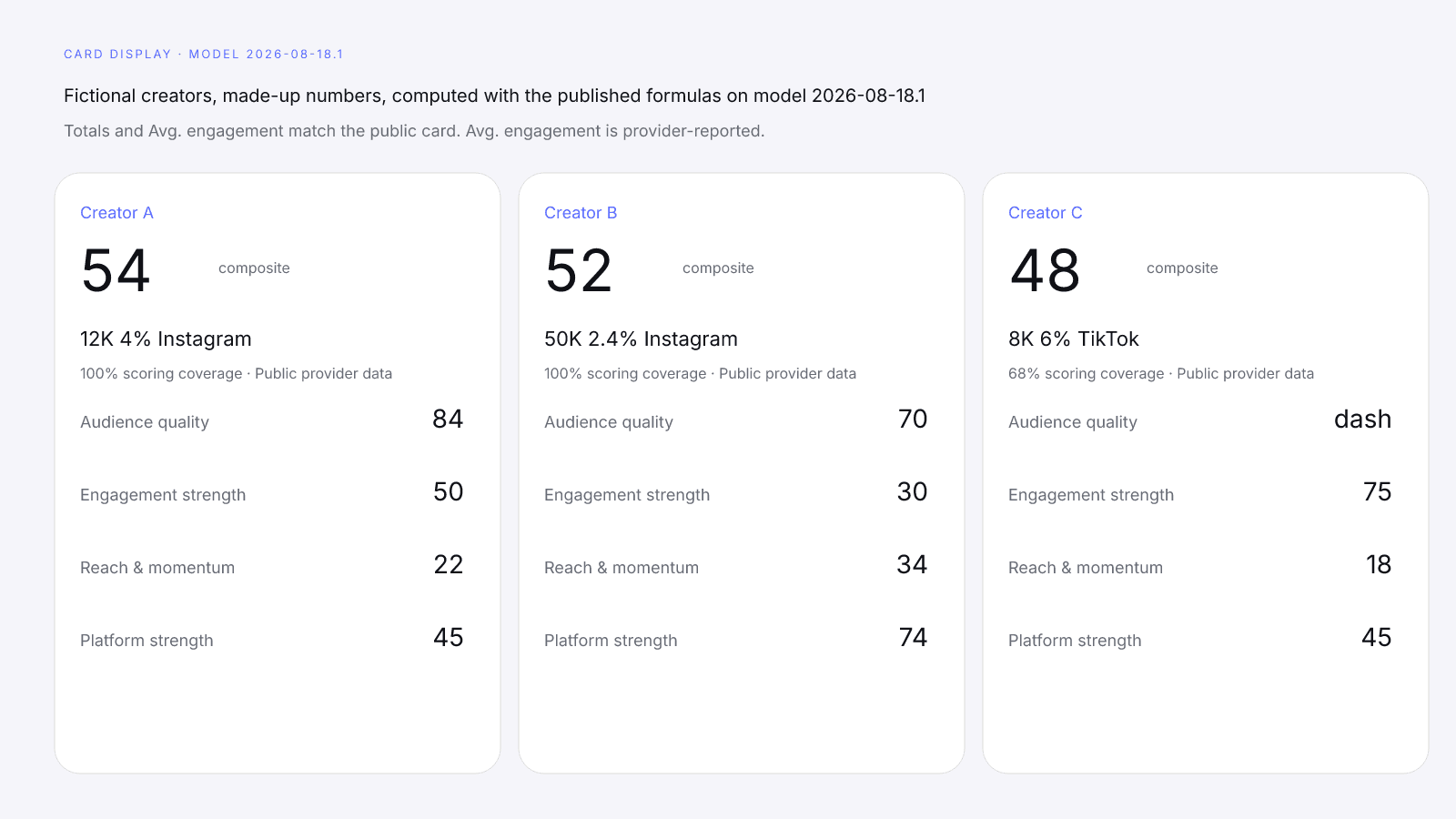
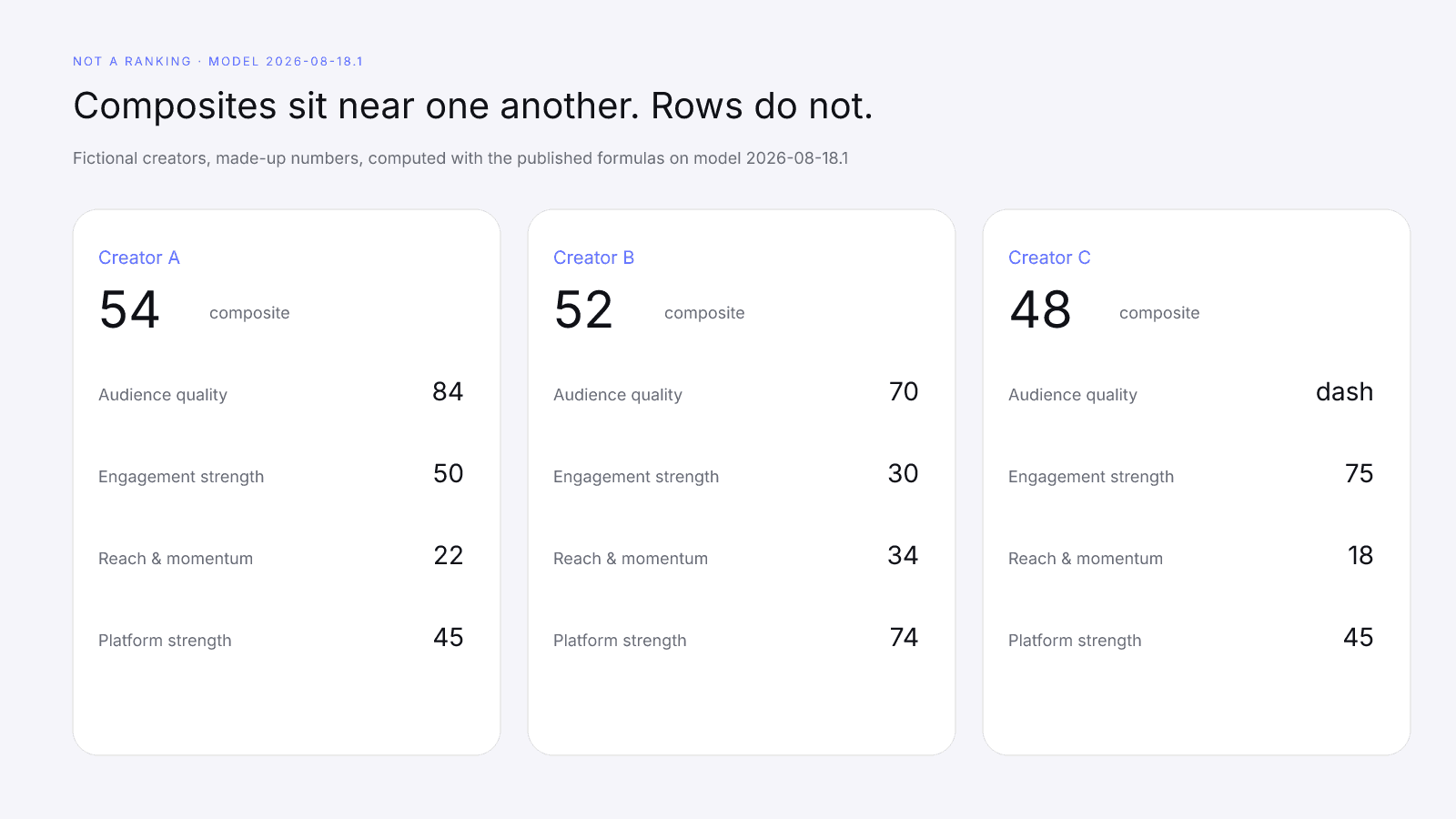
A and B were requested on Instagram and C on TikTok, so these three composites aren't one list, and arranging them 54, then 52, then 48 isn't a recommendation. The composites sit close together, but the rows don't: engagement strength alone runs from 30 on B to 75 on C.
C's dash is missing data, not zero. The 48 sits on 68% coverage because audience quality was held out, so C is a candidate for the $0.99 report or a manual check, not a cut. On model 2026-08-18.1, counting that dash as 0 would round to 32. The model does not do that, so don't write 32, or 0, in the audience-quality cell. Write a dash, and put 68% coverage next to the 48.
When to add the $0.99 report
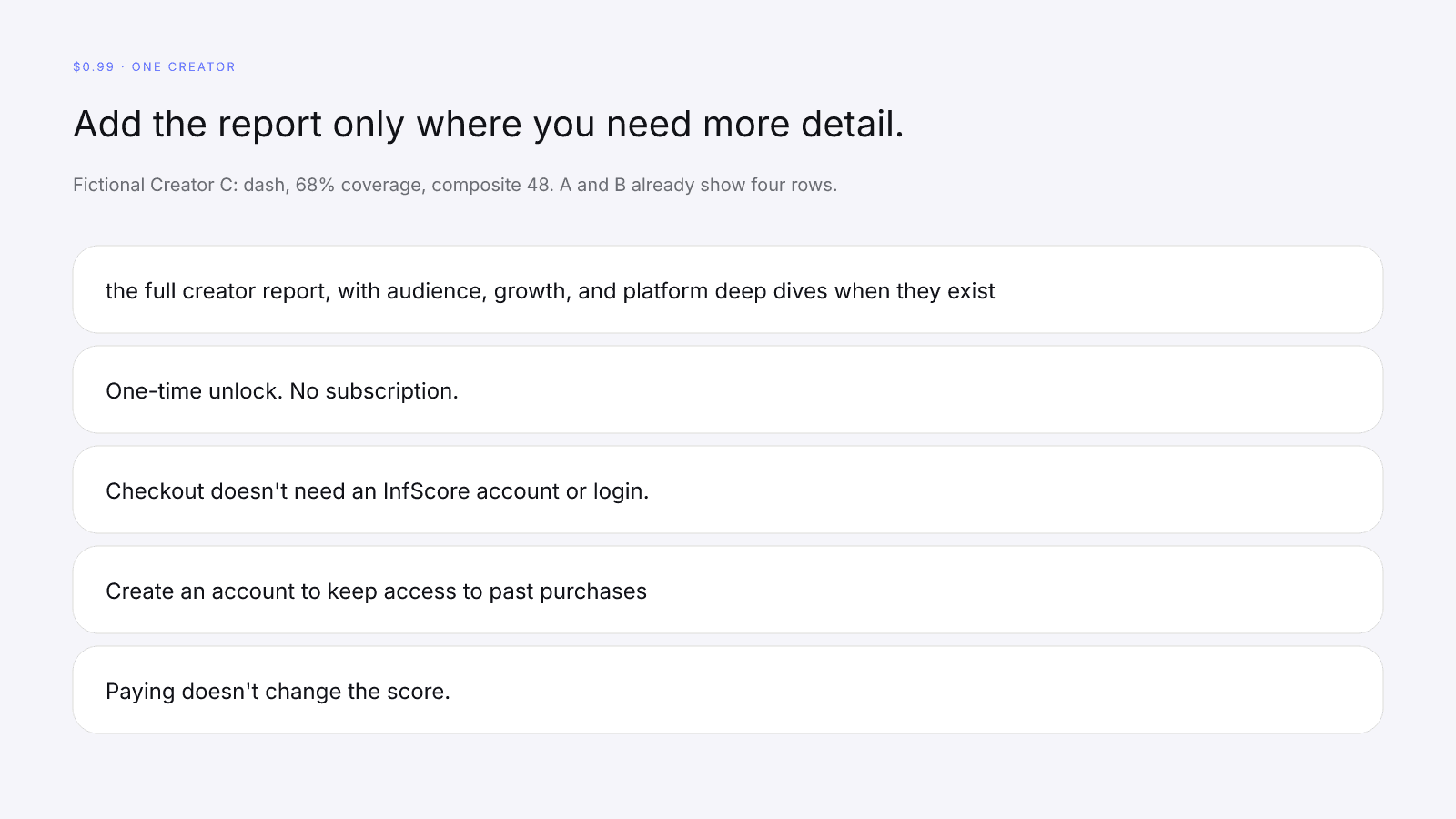
You can run the free card on every handle on the sheet. The $0.99 purchase is the full creator report, with audience, growth, and platform deep dives when they exist. One-time unlock. No subscription. Checkout doesn't need an InfScore account or login. Create an account to keep access to past purchases. If you do, use the same email you paid with.
Paying doesn't change the score. The paid view keeps the free card's score, coverage, factor rows, and model id, and detail appears when it was provided; otherwise the report shows Unavailable. A purchase doesn't fill a dash with an invented number, and it doesn't turn an Unavailable card into a score.
Buy it for the one or two handles where you need audience or growth detail before a brief. In the fictional set, C is the open case, with a dash for audience quality and 68% coverage. A and B already show all four rows, so a report on either of them is for detail the free card keeps back, such as the locked growth panel, and the 0–100 stays the same. Free InfScore vs the $0.99 Report: What Actually Changes lists the modules.
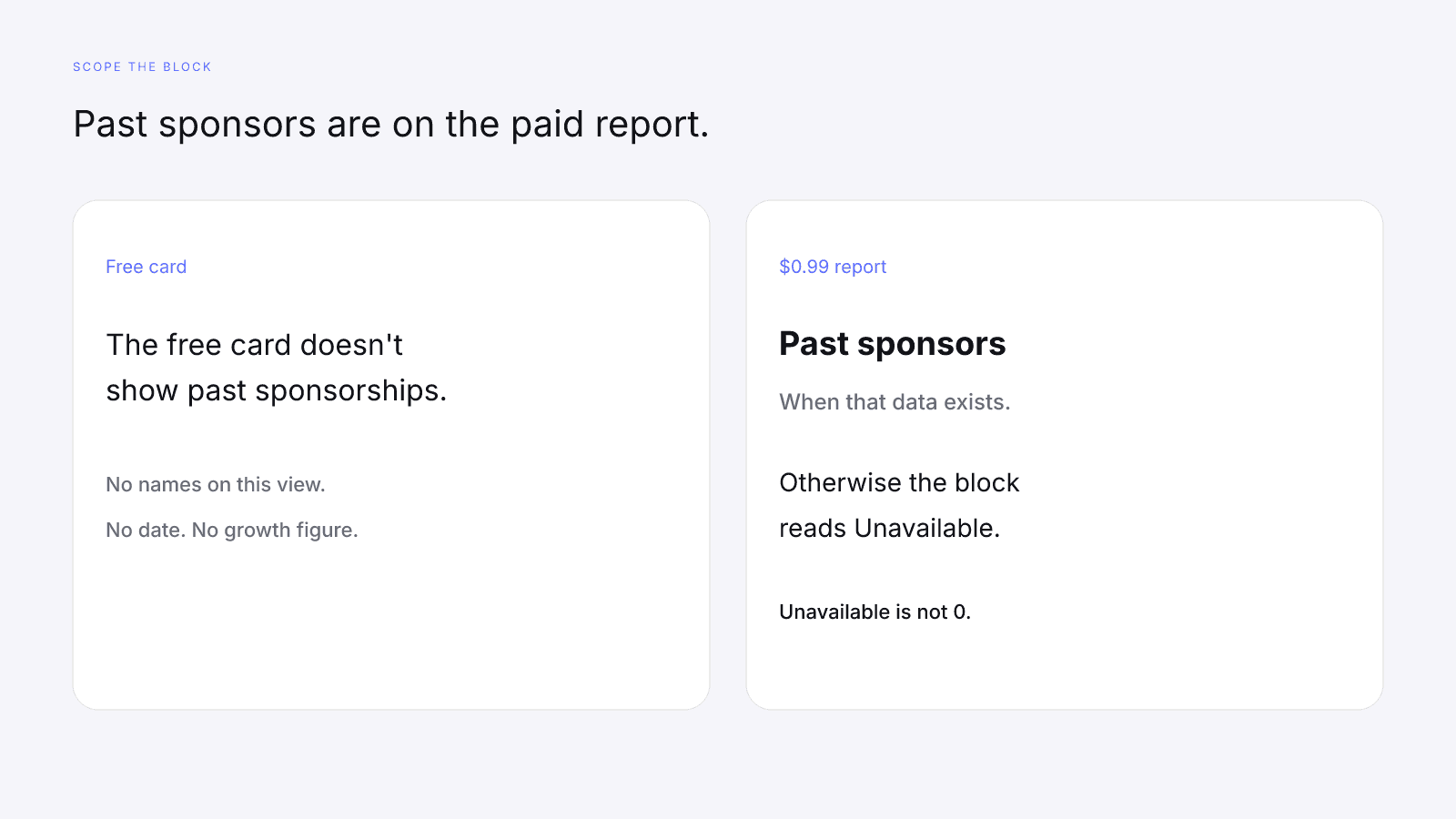
The $0.99 report has a "Past sponsors" block when that data exists. The free card doesn't show past sponsorships. If the block has nothing to show, it reads Unavailable, which you copy as a gap rather than a zero or a list of your own.
The checks a score can't do
The free card doesn't show content fit, brand safety, past sponsorships, rates or usage rights. The Past sponsors block on the report, when the data exists, doesn't say whether a name suits the shop, and it doesn't set terms. How to Vet an Influencer Before You Pay Them covers the method, so your sheet only needs a column for each check.
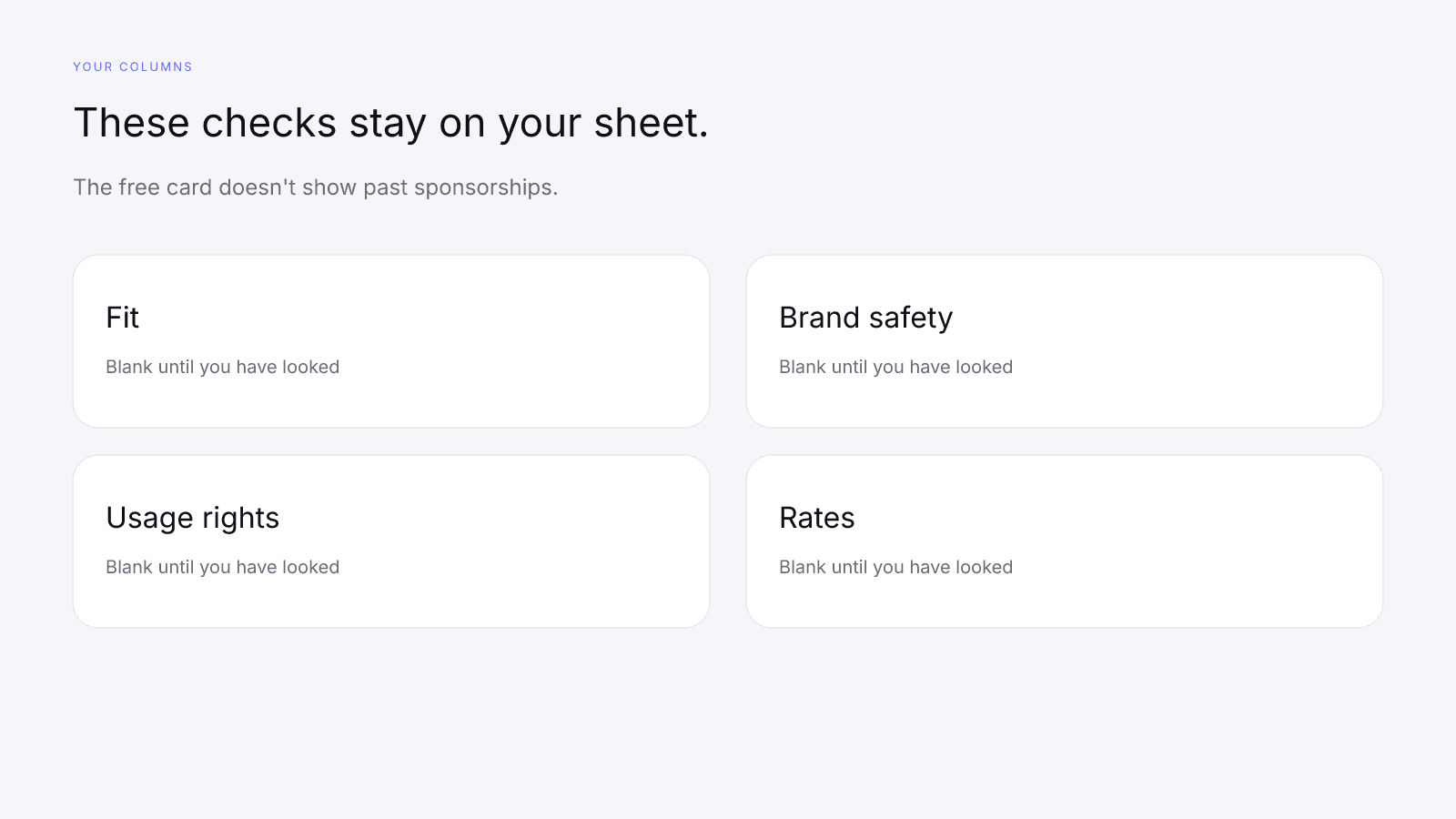
Leave those columns blank until you've looked, since neither a full card nor a dash fills them in.
Questions about whether the work paid off belong in the pre-campaign guide. The composite on your sheet is a reading of public signals rather than an outcome from your own books.
Brief and reach out yourself
Once you decide to contact someone on the sheet, the next documents are yours. What to Put in an Influencer Brief (With a Template) covers the brief. Copy the model id, the coverage line, any dash, the requested platform, and the date you viewed the card, and leave out any outcome the card never stated. If coverage is 68% because a row is a dash, say so in the brief instead of smoothing the dash into a number.
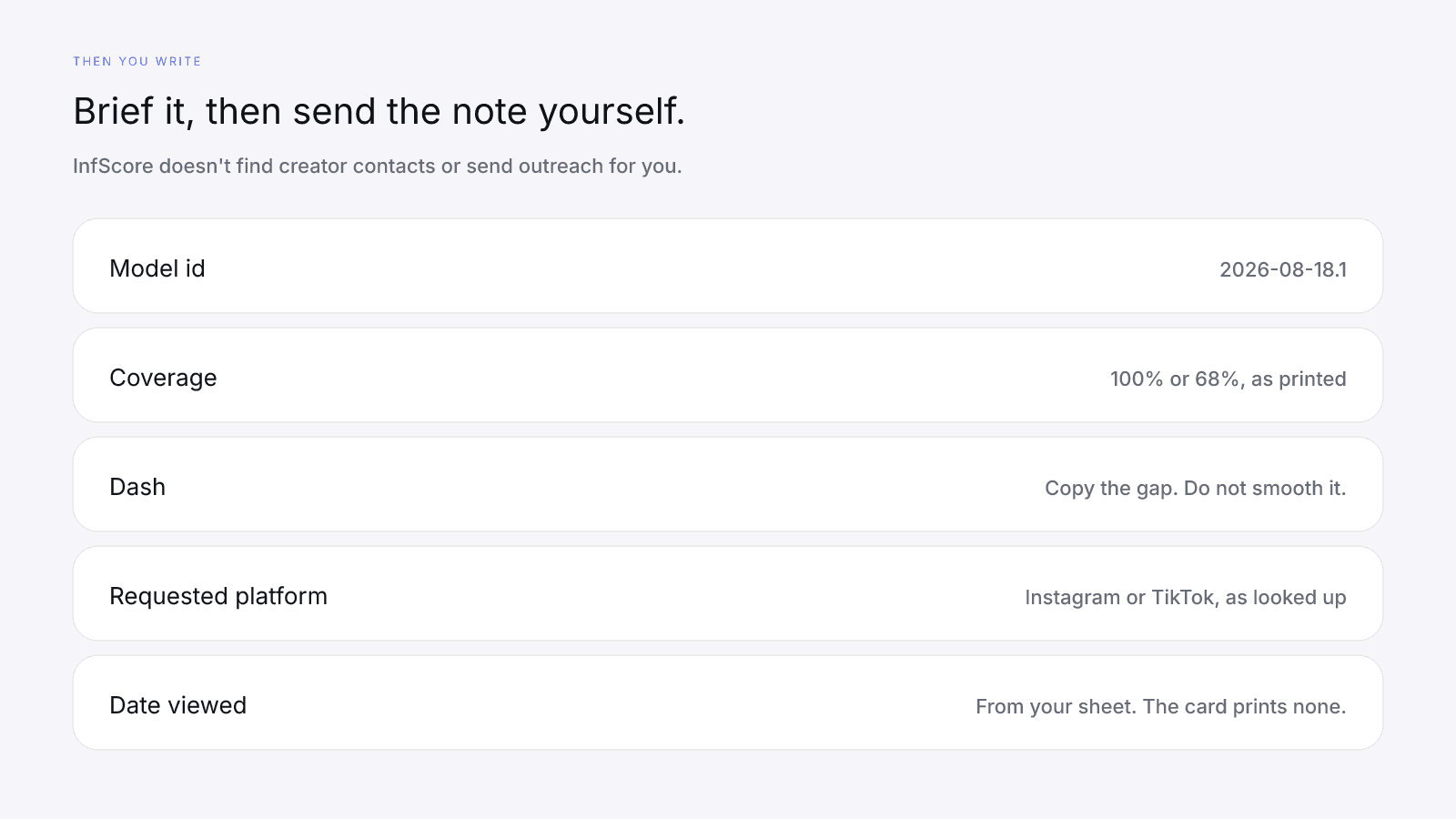
The brand outreach guide covers the note itself. InfScore doesn't find creator contacts or send outreach for you, so it won't supply an address or send the message. Send it yourself, and cite the same model id and coverage line you put in the brief.
FAQ and next steps
Search a public profile from infscore.com. The card is public and needs no sign-up.
For the one-time $0.99 report, see Pricing.
How can a small business screen influencers on a small budget?
Start with the handles you already have, such as customers, local creators and people who tag you. Look each one up on the free public card, read the rows on one model id and the same requested platform, and keep the list in your own sheet. Buy the $0.99 report only for the creators where you need audience or growth detail, and do the manual checks yourself.
Do I need to sign up to check an influencer's InfScore?
No. The free public card needs no sign-up. Paste a handle or a profile URL, and the card shows the score, the coverage line and four factor rows, each a number or a dash.
What does InfScore cost?
The free card is free. The $0.99 purchase is the full creator report, with audience, growth, and platform deep dives when they exist. It's a one-time unlock with no subscription, and checkout doesn't need an InfScore account or login.
Can InfScore find influencers for my business?
No. InfScore doesn't find creator contacts or send outreach for you. It scores the handles you look up, and building the list, writing the brief and sending the note stay with you.
What does a dash mean when I compare creators?
A dash is missing data, not zero. That factor is held out, and scoring coverage drops. Copy it as a dash on your sheet, with the coverage line beside the composite.
Does a higher InfScore mean a better fit for my business?
No. It is not a percentile, price estimate, or guarantee of campaign results. Whether a creator is a fit for your business is a manual check you do yourself, the same as brand safety and usage rights.
Does paying for the report change the score?
No. The report keeps the free card's score, coverage, factor rows and model, and adds detail when it was provided. Anything that wasn't provided reads Unavailable.