Influencer Shortlist Template: Compare Creators on One Model
Influencer shortlist template: a copyable table to compare creators on one model id, keeping dashes as missing data. Build it in your own sheet.
This versioned composite uses only available public signals. Missing factors stay unavailable and their weight is rebalanced across observed factors. It is not a percentile, price estimate, or guarantee of campaign results. Model 2026-08-18.1.
An influencer shortlist template is a table in your own spreadsheet with one row per creator and platform, filled from each creator's free public InfScore card, with the model id and coverage recorded so rows are only compared on the same model. InfScore has no compare, shortlist, or sort feature, and no spreadsheet or CSV export of creator rows. The sheet is yours. Manual checks and outreach stay with you, and each composite is a score. It is not a percentile, price estimate, or guarantee of campaign results.
What a shortlist template is, and why the sheet is yours
Knowing how to shortlist influencers starts with the handles you already have, each on its own row in a file you control. If you don't have those handles yet, how to find influencers in your niche covers collecting them first. My InfScore lists purchased reports and claimed handles under the line "No subscription. No campaign tools."
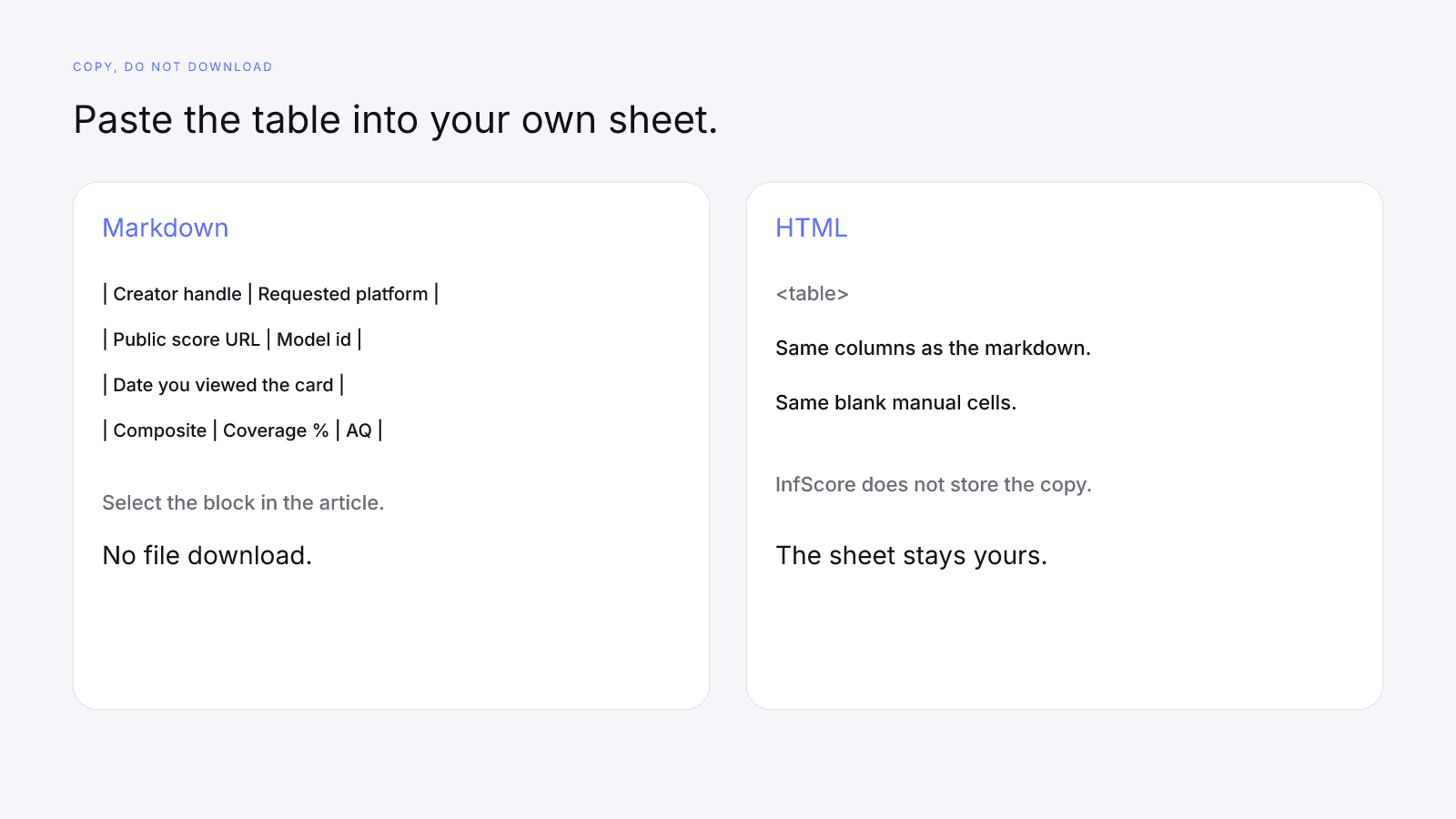
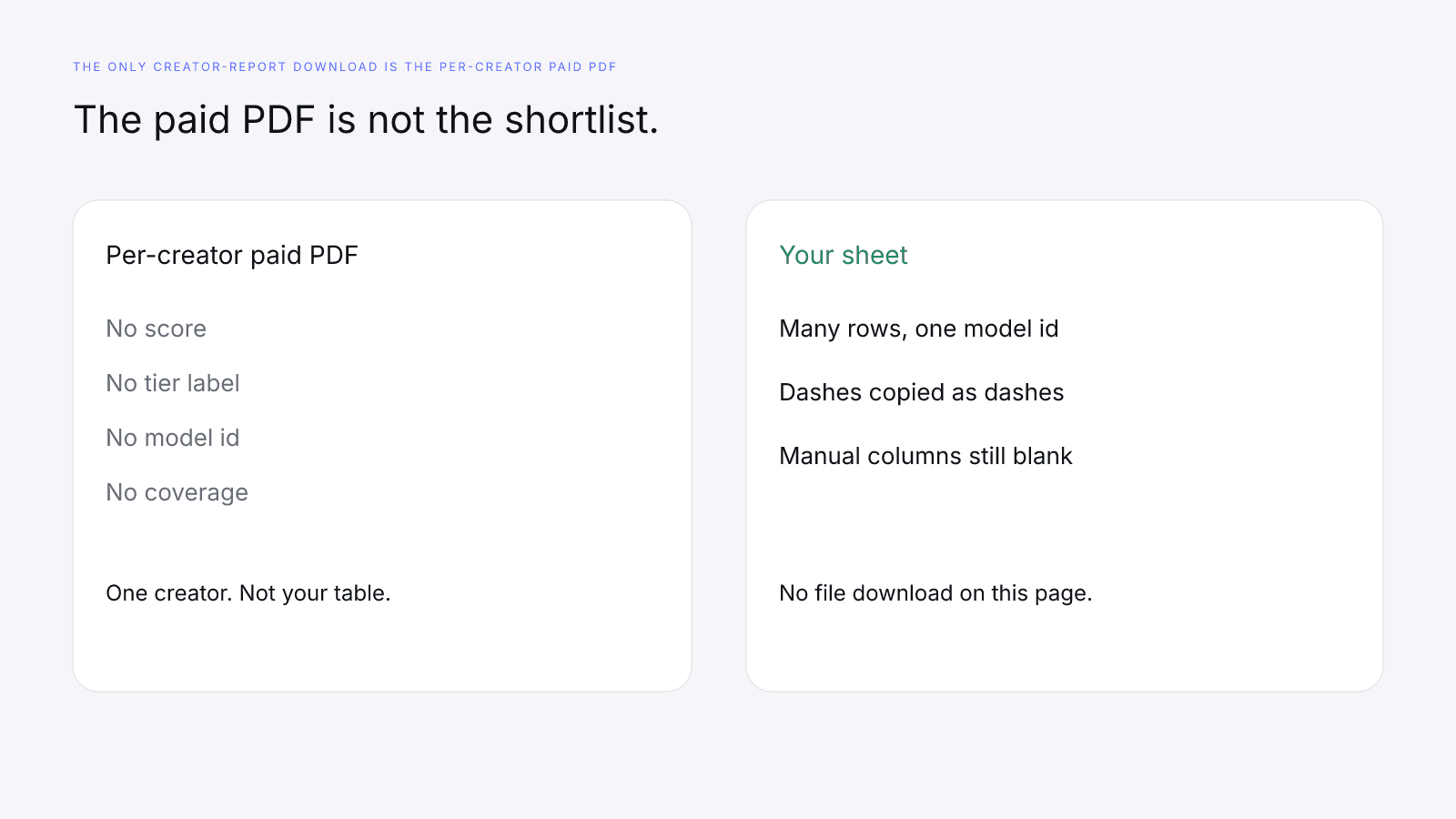
The only creator-report download is the per-creator paid PDF, and it has no score, no tier label, no model id, and no coverage. One creator's report can't stand in for a row. Copy the markdown or HTML table into a spreadsheet you control; there's no file to download, and InfScore doesn't keep your copy.
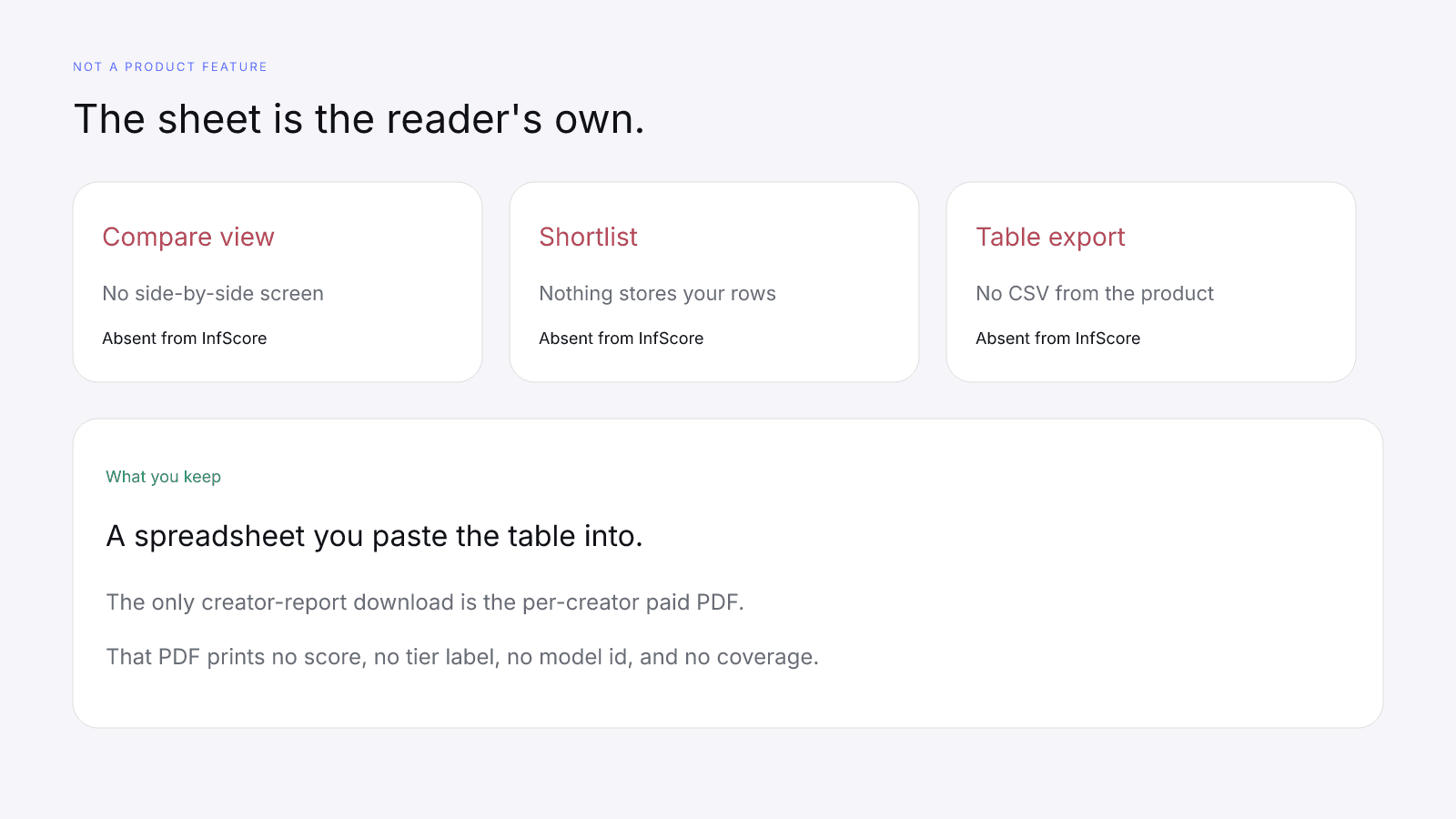
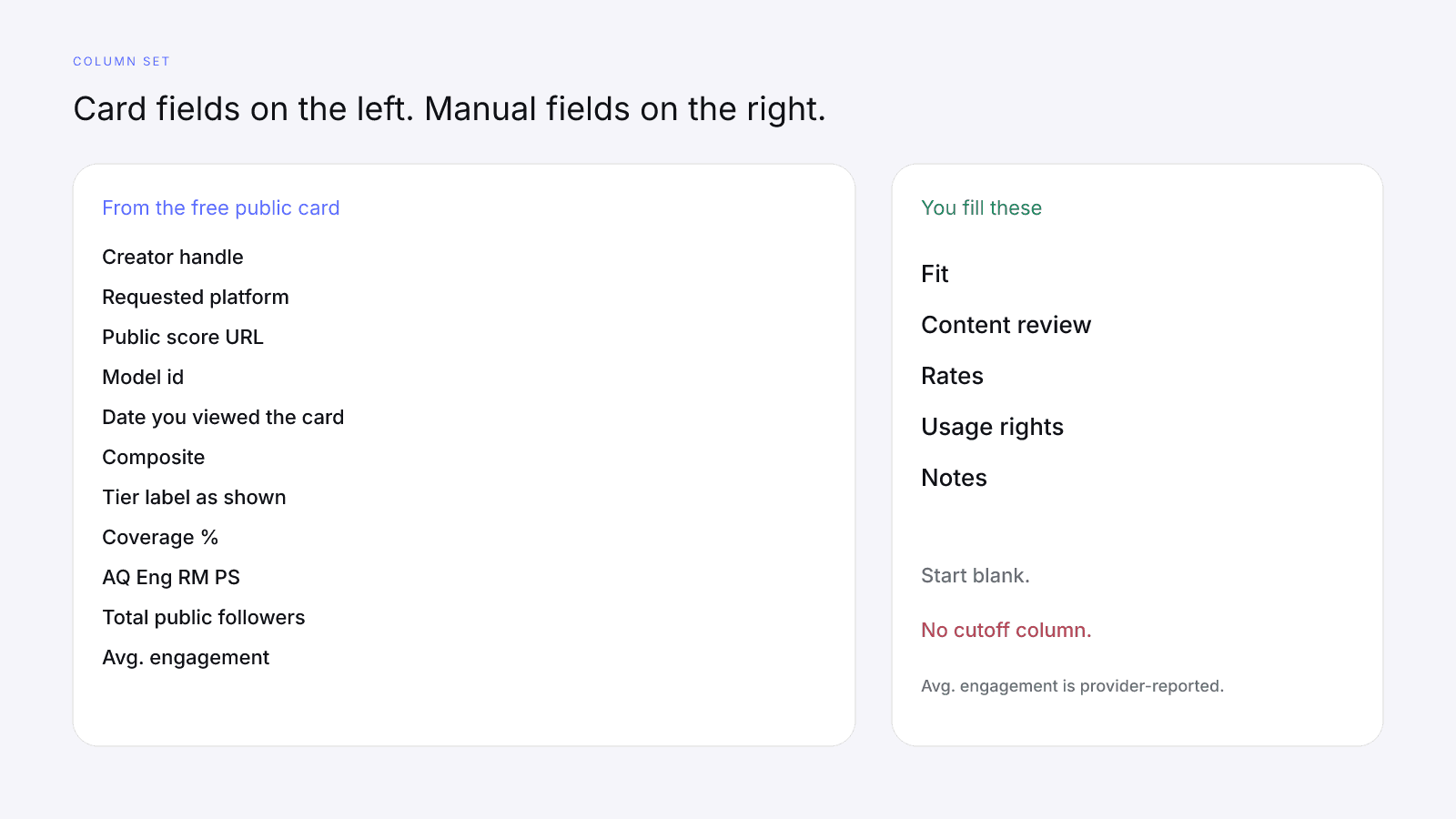
An influencer comparison spreadsheet is just this file: card columns from the free public card and manual columns for the checks a score never makes.
The columns to copy
Card columns:
- Creator handle
- Requested platform
- Public score URL
- Model id
- Date you viewed the card
- Composite
- Tier label as shown
- Coverage %
- AQ
- Eng
- RM
- PS
- Total public followers
- Avg. engagement (provider-reported)
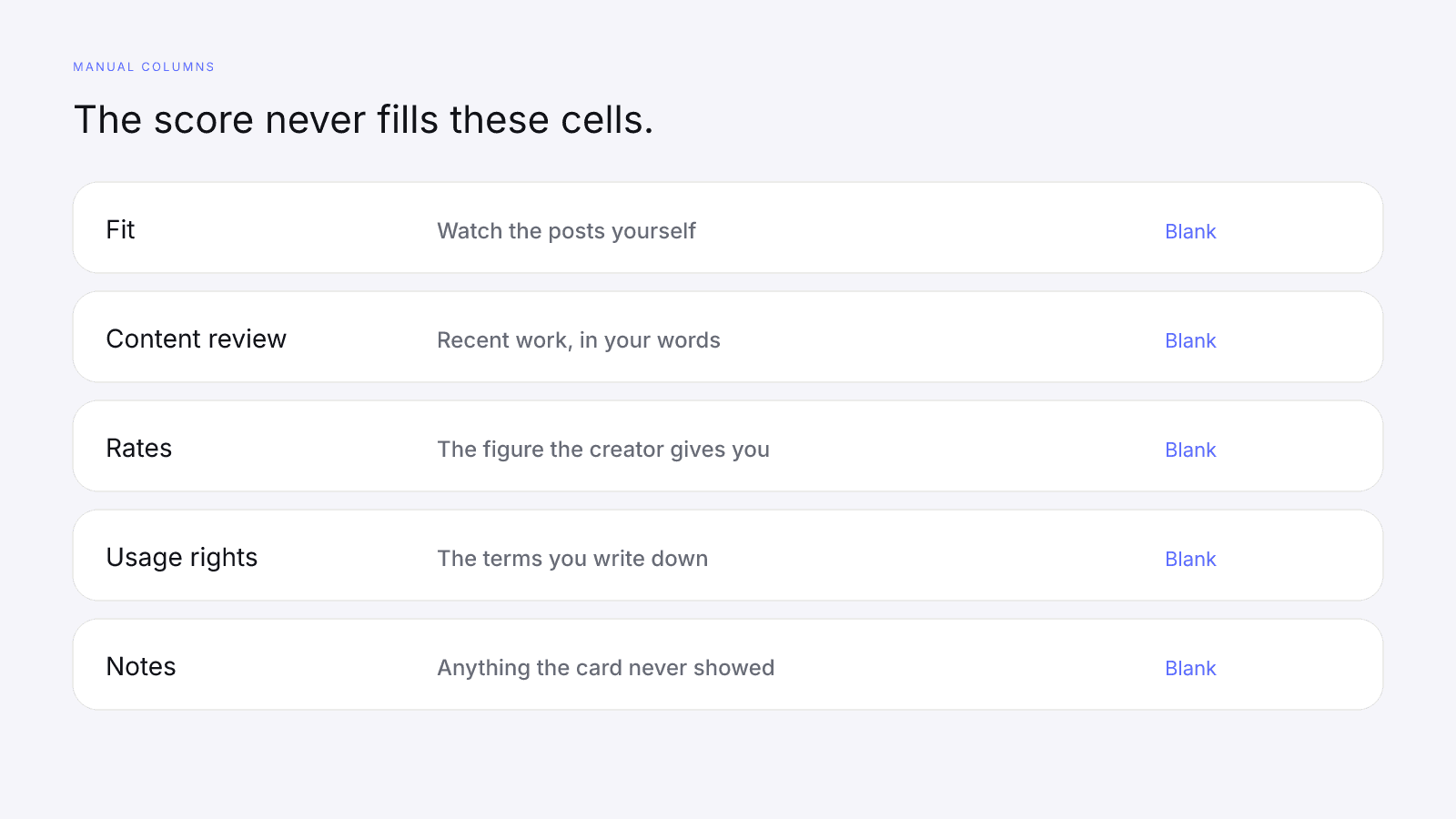
Manual columns:
- Fit
- Content review
- Rates
- Usage rights
- Notes
Copy each value as the card prints it, decimals included. AQ, Eng, RM, and PS take a number, or the dash the card prints when a factor is missing, and that dash goes in the cell as a dash rather than the digit 0.
Paste either block into your own sheet.
| Creator handle | Requested platform | Public score URL | Model id | Date you viewed the card | Composite | Tier label as shown | Coverage % | AQ | Eng | RM | PS | Total public followers | Avg. engagement (provider-reported) | Fit | Content review | Rates | Usage rights | Notes |
| --- | --- | --- | --- | --- | --- | --- | --- | --- | --- | --- | --- | --- | --- | --- | --- | --- | --- | --- |
|  |  |  |  |  |  |  |  |  |  |  |  |  |  |  |  |  |  |  |
<table>
  <caption>Influencer shortlist template. Copy into your own sheet. No file download.</caption>
  <thead>
    <tr>
      <th>Creator handle</th>
      <th>Requested platform</th>
      <th>Public score URL</th>
      <th>Model id</th>
      <th>Date you viewed the card</th>
      <th>Composite</th>
      <th>Tier label as shown</th>
      <th>Coverage %</th>
      <th>AQ</th>
      <th>Eng</th>
      <th>RM</th>
      <th>PS</th>
      <th>Total public followers</th>
      <th>Avg. engagement (provider-reported)</th>
      <th>Fit</th>
      <th>Content review</th>
      <th>Rates</th>
      <th>Usage rights</th>
      <th>Notes</th>
    </tr>
  </thead>
  <tbody>
    <tr>
      <td></td><td></td><td></td><td></td><td></td><td></td><td></td><td></td><td></td><td></td><td></td><td></td><td></td><td></td><td></td><td></td><td></td><td></td><td></td>
    </tr>
  </tbody>
</table>
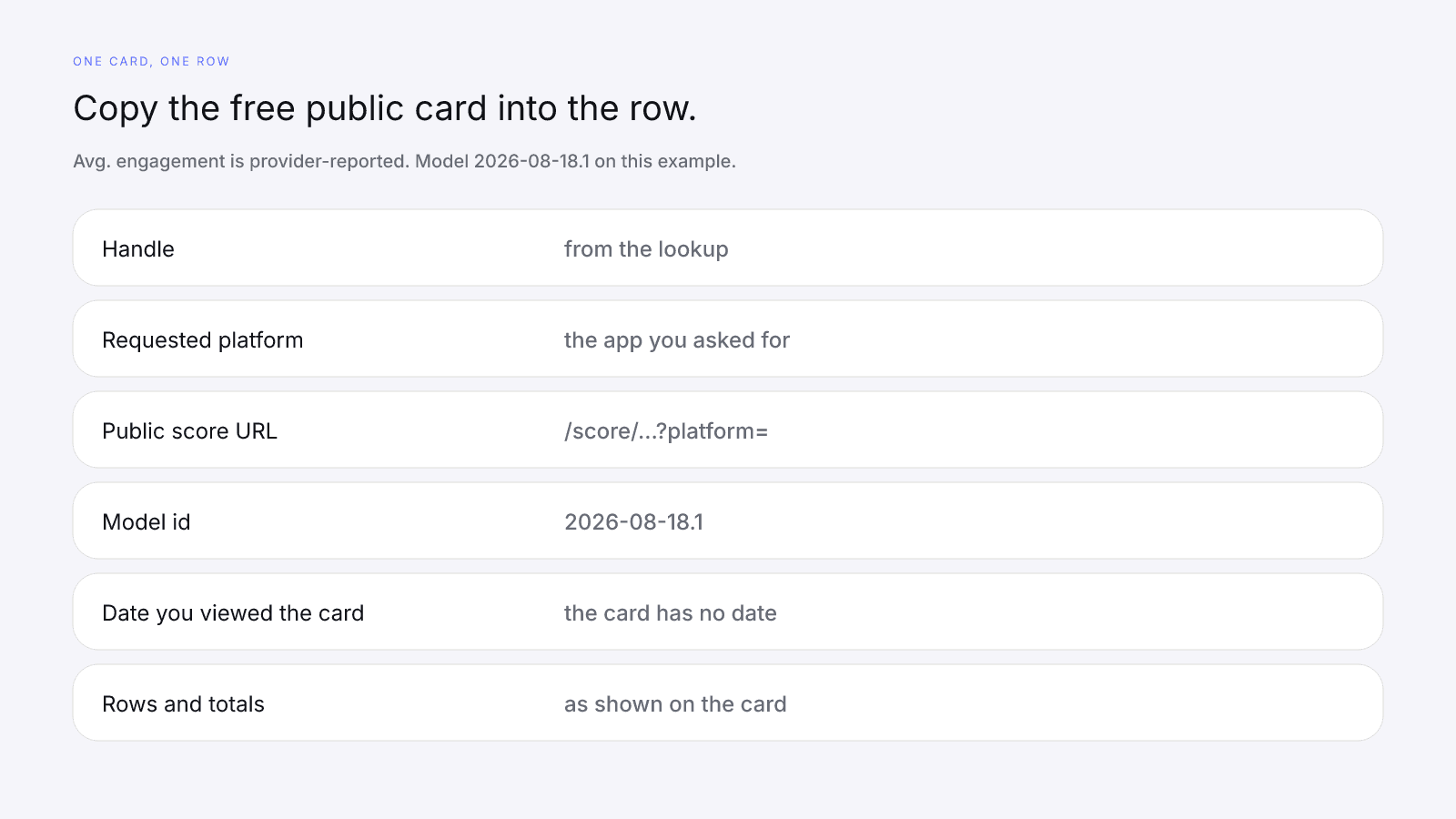
Fill one row from the free public card
One row is one creator on one requested platform. Instagram, TikTok, and YouTube are separate lookups, so a creator on two apps gets two rows and two URLs.
The free public card needs no sign-up, and the homepage says "Free score. No sign-up." There's no platform picker. Write down the app you searched and check it against the card's "Primary platform" line. A bare @handle searches Instagram; paste the creator's TikTok or YouTube profile URL to search those. Then copy the address from the browser. It contains /score/ and ?platform=, and the public score URL column keeps that query.
The card shows the score, a tier label, the line "{n}% scoring coverage · Public provider data", four factor rows, Total public followers, Avg. engagement, and Primary platform. Avg. engagement is provider-reported. The model id comes from the card's method note.
The free card prints no date, so the date is the day you viewed it.
Dashes, Not found, and Unavailable rows
A dash is missing data, not a zero. That factor is held out of the composite and coverage drops. Missing Data on Creator Metrics walks through the arithmetic.
When the lookup completes and no usable profile exists, you'll see a 404 page, not a score of 0. Not found means InfScore's data source has no usable public profile for that handle on the app you searched, or it has one with no followers and no engagement. Write "Not found" in the row and leave the factor cells blank.
If the lookup couldn't return usable data, the card shows no score, just a dash, and the coverage line reads "Unavailable". That isn't a 0 and it isn't a verdict on the creator. There's no tier and no unlock. Sometimes the card shows "Lookup temporarily unavailable, try again later" in place of a score. That means the lookup couldn't run just then. It isn't Not found, it isn't a 0, and there's no unlock. In either case, write "Unavailable" in the row instead of a number. Unavailable can be temporary.
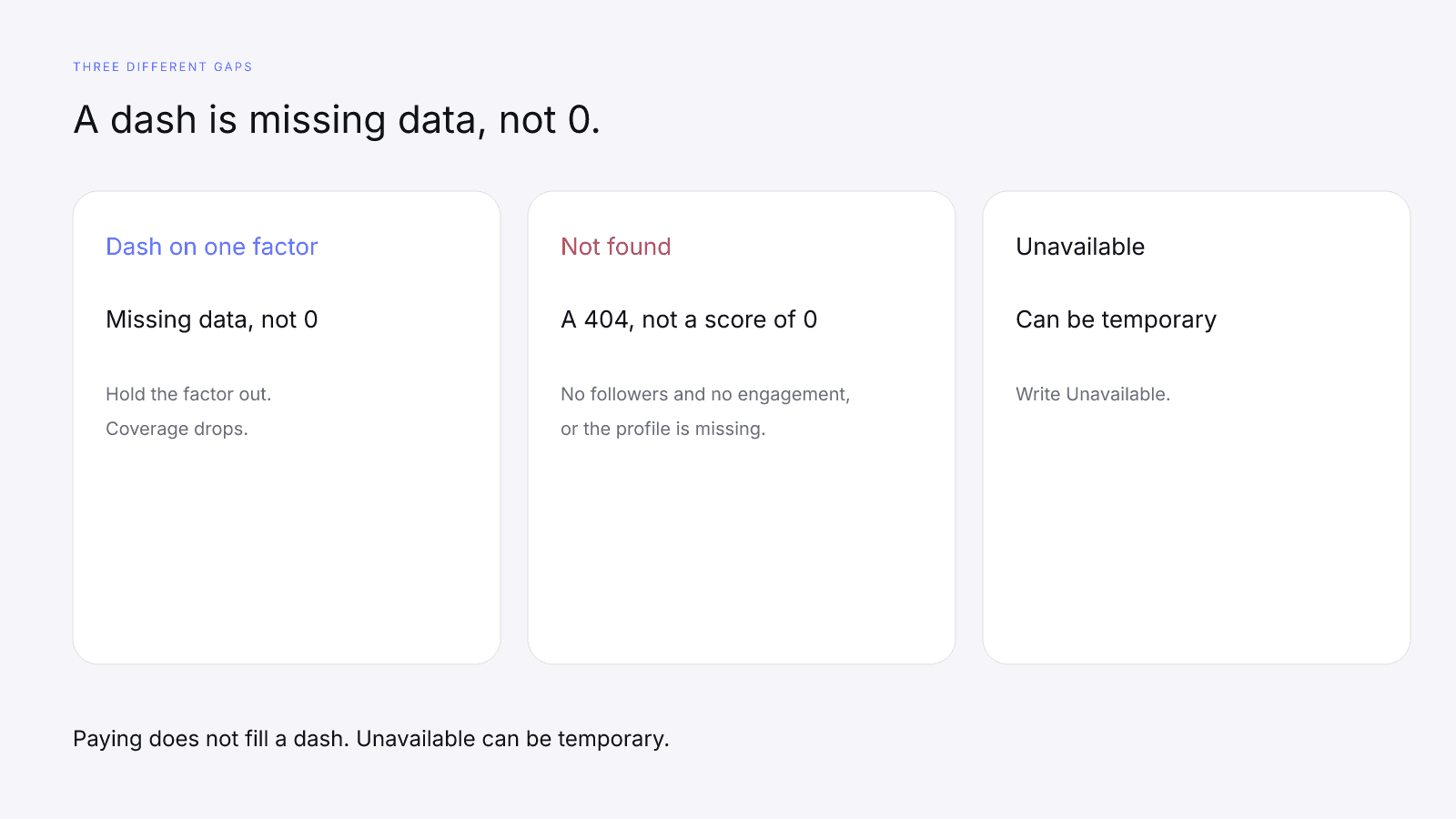
Paying doesn't fill a dash. The $0.99 purchase is the full creator report, with audience, growth, and platform deep dives when they exist, and the paid view keeps the free card's score, tier label, coverage, factor rows, and model id. Free InfScore vs the $0.99 Report: What Actually Changes lists what it adds when the data was provided.
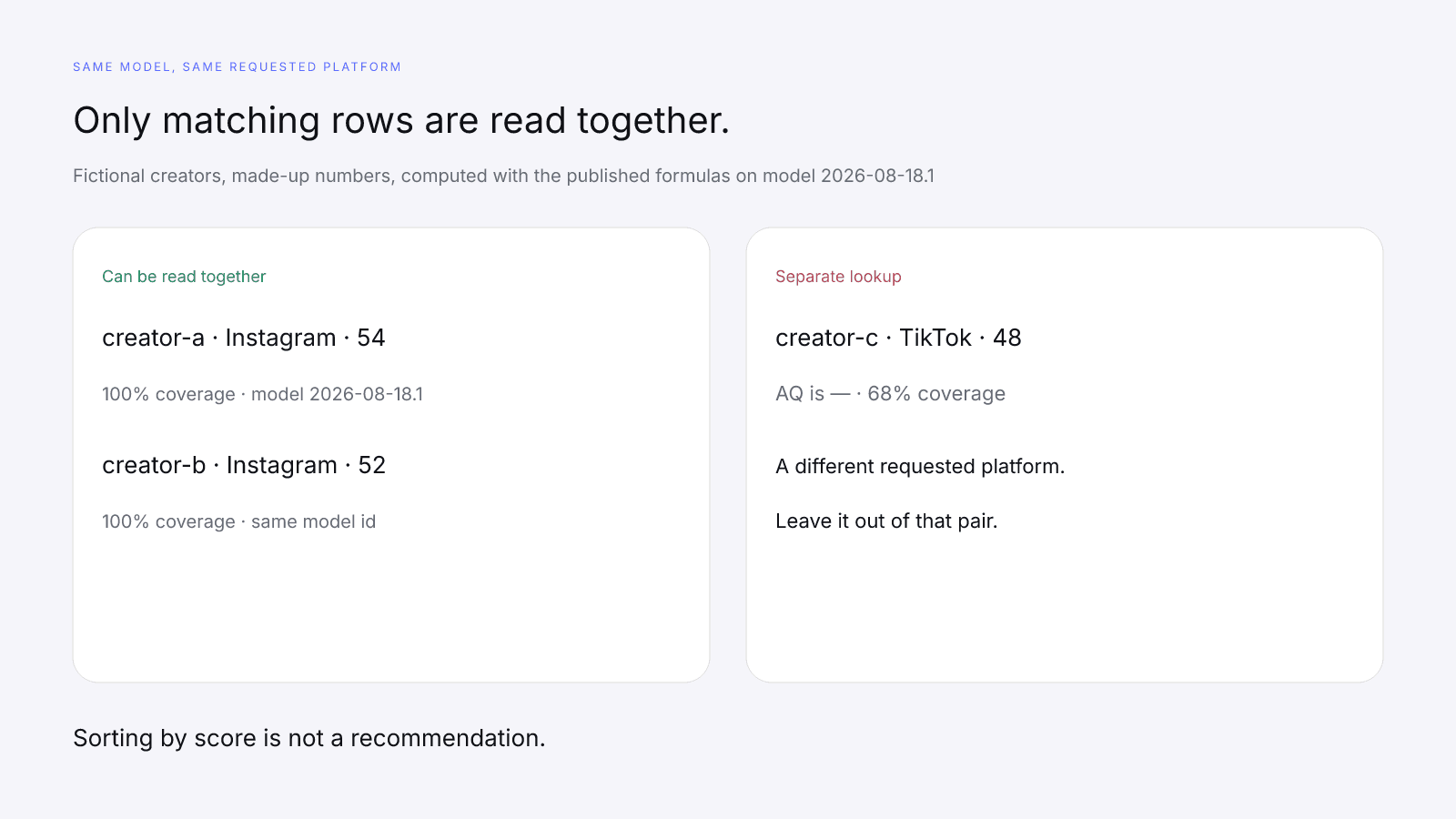
Compare rows on one model id
Read two rows together only when the model id and the requested platform both match. Comparing Two Creators Fairly With InfScore covers the method, and What Brands Should Read First on an InfScore Card gives the reading order on a single card, with model id and coverage before the composite. If you keep one sheet per client, Influencer Vetting for Agencies: One Model Across Client Shortlists shows the same row on every client tab.
On model 2026-08-18.1 the card's weights are Audience quality 32%, Engagement strength 27%, Reach & momentum 23%, Platform strength 18%. The model is versioned, so if a card prints a different model id, record that id and leave these weights off the row. Different model ids are different scales. What Is an Influencer Score? How InfScore Builds One explains the 0 to 100 composite.
A filled example with three fictional creators
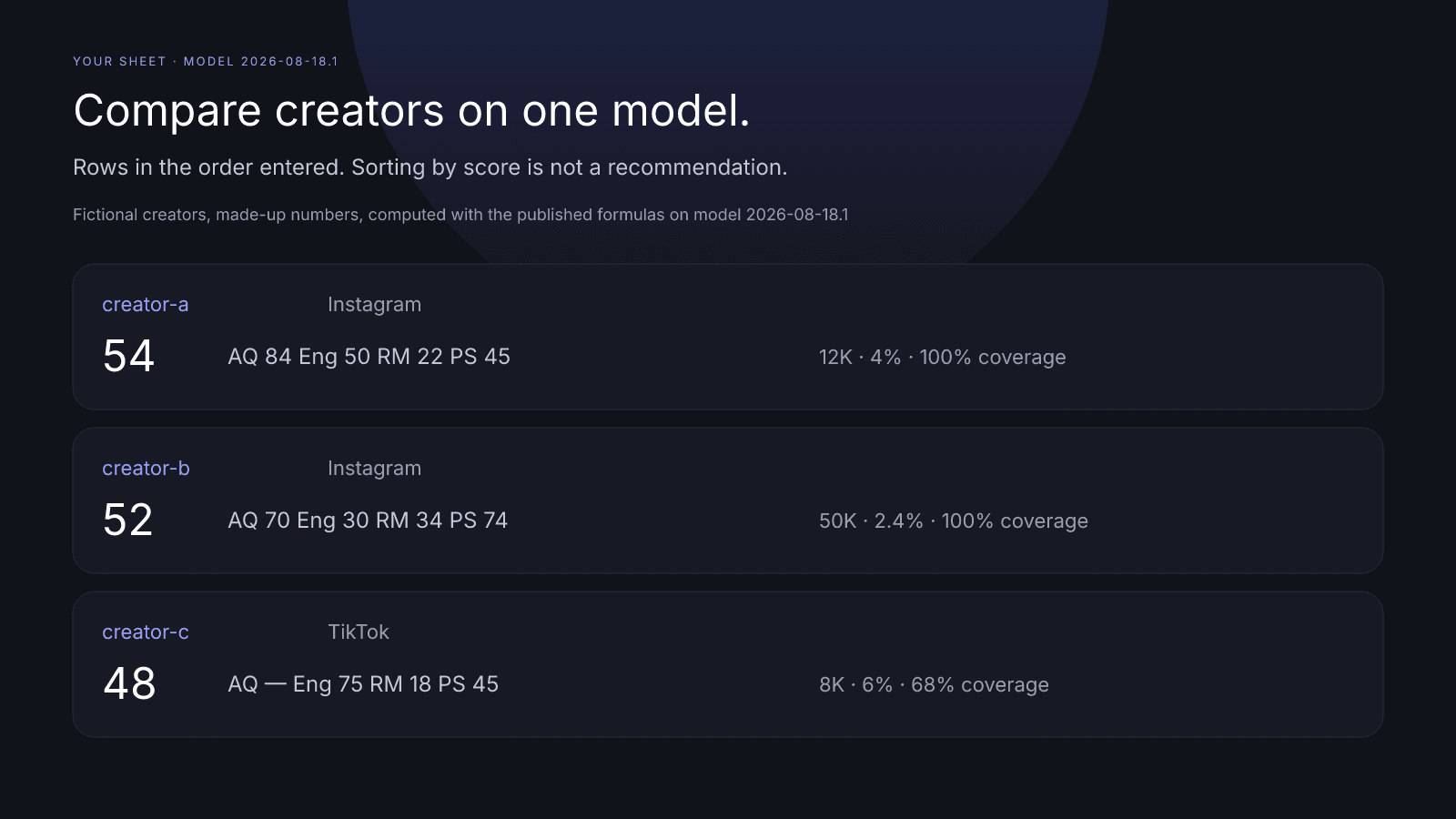
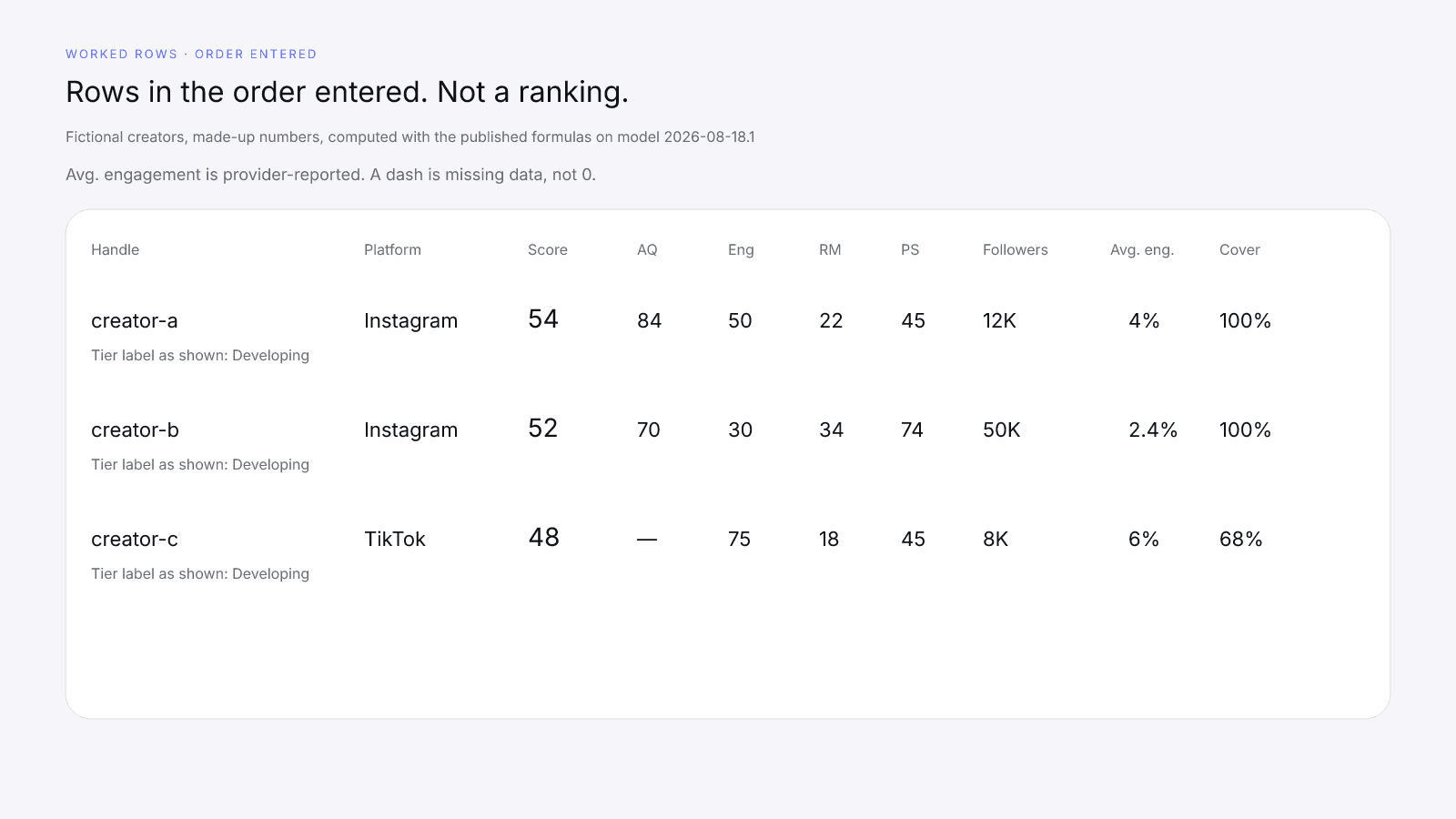
Fictional creators, made-up numbers, computed with the published formulas on model 2026-08-18.1. The handles are placeholders from the same fictional set used in Influencer Marketing for Small Businesses: Shortlist Without a Big Budget.
Creator-a was requested on Instagram only, with 12,000 followers shown as 12K and a provider-reported Avg. engagement of 4.0%, shown as 4%. Its rows are AQ 84, Eng 50, RM 22, and PS 45, and the composite is 54 at 100% coverage.
Creator-b was also requested on Instagram. Two audiences, 40,000 and 10,000, show as a 50,000 total of 50K. The provider-reported Avg. engagement is 2.4%, the rows are AQ 70, Eng 30, RM 34, and PS 74, and the composite is 52 at 100% coverage.
Creator-c was requested on TikTok only, with 8,000 followers shown as 8K and a provider-reported Avg. engagement of 6.0%, shown as 6%. AQ is a dash, the other rows are Eng 75, RM 18, and PS 45, and the composite is 48 with the coverage line "68% scoring coverage · Public provider data".
A and B were requested on Instagram and C on TikTok, so C's row isn't read against A and B, and the order 54, 52, 48 isn't a ranking. C's dash is missing data, not zero. Write a dash in the audience-quality cell and put 68% coverage next to the 48. What C's row calls for is a manual check or a paid report, rather than a cut.
| Creator handle | Requested platform | Public score URL | Model id | Date you viewed the card | Composite | Tier label as shown | Coverage % | AQ | Eng | RM | PS | Total public followers | Avg. engagement (provider-reported) | Fit | Content review | Rates | Usage rights | Notes |
| --- | --- | --- | --- | --- | --- | --- | --- | --- | --- | --- | --- | --- | --- | --- | --- | --- | --- | --- |
| creator-a | instagram | /score/creator-a?platform=instagram | 2026-08-18.1 | 2026-10-29 | 54 | Developing | 100 | 84 | 50 | 22 | 45 | 12K | 4% |  |  |  |  |  |
| creator-b | instagram | /score/creator-b?platform=instagram | 2026-08-18.1 | 2026-10-29 | 52 | Developing | 100 | 70 | 30 | 34 | 74 | 50K | 2.4% |  |  |  |  |  |
| creator-c | tiktok | /score/creator-c?platform=tiktok | 2026-08-18.1 | 2026-10-29 | 48 | Developing | 68 | — | 75 | 18 | 45 | 8K | 6% |  |  |  |  |  |
<table>
  <caption>Fictional creators, made-up numbers, computed with the published formulas on model 2026-08-18.1. Rows in the order entered, not a sort by score.</caption>
  <thead>
    <tr>
      <th>Creator handle</th>
      <th>Requested platform</th>
      <th>Public score URL</th>
      <th>Model id</th>
      <th>Date you viewed the card</th>
      <th>Composite</th>
      <th>Tier label as shown</th>
      <th>Coverage %</th>
      <th>AQ</th>
      <th>Eng</th>
      <th>RM</th>
      <th>PS</th>
      <th>Total public followers</th>
      <th>Avg. engagement (provider-reported)</th>
      <th>Fit</th>
      <th>Content review</th>
      <th>Rates</th>
      <th>Usage rights</th>
      <th>Notes</th>
    </tr>
  </thead>
  <tbody>
    <tr>
      <td>creator-a</td><td>instagram</td><td>/score/creator-a?platform=instagram</td><td>2026-08-18.1</td><td>2026-10-29</td><td>54</td><td>Developing</td><td>100</td><td>84</td><td>50</td><td>22</td><td>45</td><td>12K</td><td>4%</td><td></td><td></td><td></td><td></td><td></td>
    </tr>
    <tr>
      <td>creator-b</td><td>instagram</td><td>/score/creator-b?platform=instagram</td><td>2026-08-18.1</td><td>2026-10-29</td><td>52</td><td>Developing</td><td>100</td><td>70</td><td>30</td><td>34</td><td>74</td><td>50K</td><td>2.4%</td><td></td><td></td><td></td><td></td><td></td>
    </tr>
    <tr>
      <td>creator-c</td><td>tiktok</td><td>/score/creator-c?platform=tiktok</td><td>2026-08-18.1</td><td>2026-10-29</td><td>48</td><td>Developing</td><td>68</td><td>—</td><td>75</td><td>18</td><td>45</td><td>8K</td><td>6%</td><td></td><td></td><td></td><td></td><td></td>
    </tr>
  </tbody>
</table>
The manual columns a score can't fill
Fit, content review, rates, usage rights, and notes stay blank until you fill them. Content review means watching the recent posts yourself, rates are whatever the creator quotes you, and usage rights are the terms you write down once you've agreed them. How to Vet an Influencer Before You Pay Them covers those checks, and once those columns are in use the same file works as an influencer vetting spreadsheet.
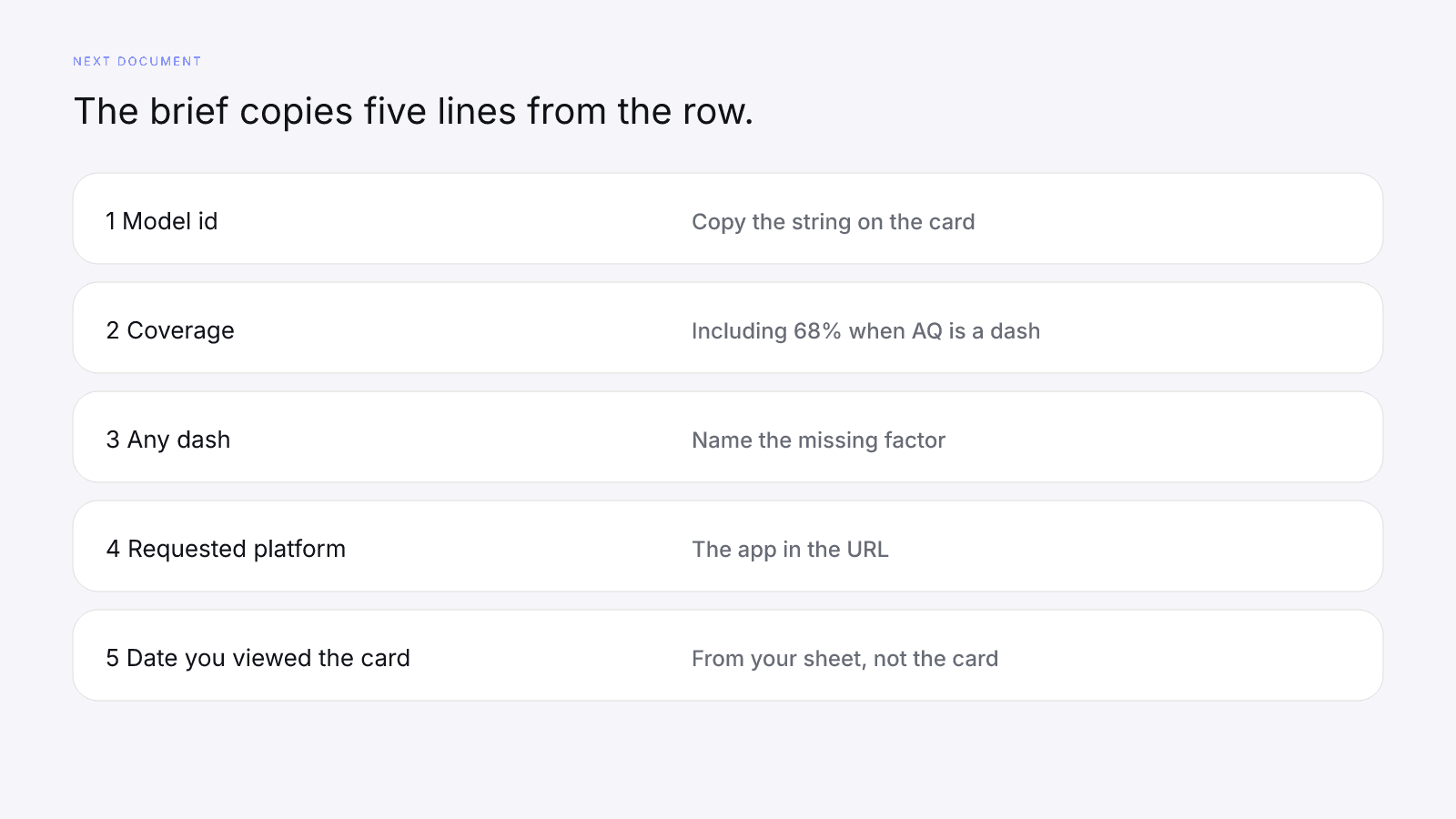
When a row is ready for a brief, carry over the model id, the coverage, any dash, the requested platform, and the date you viewed the card. What to Put in an Influencer Brief (With a Template) has the brief itself. If coverage is 68% because AQ is a dash, the brief should say so, and it shouldn't claim any result the card never stated.
InfScore doesn't find creator contacts or send outreach for you. You decide who to contact and you send the note, and Influencer Outreach Emails That Get Answers (Without Overpromising) helps with the wording. The URL in that note should match the row, platform query included.
What not to put in a shortlist
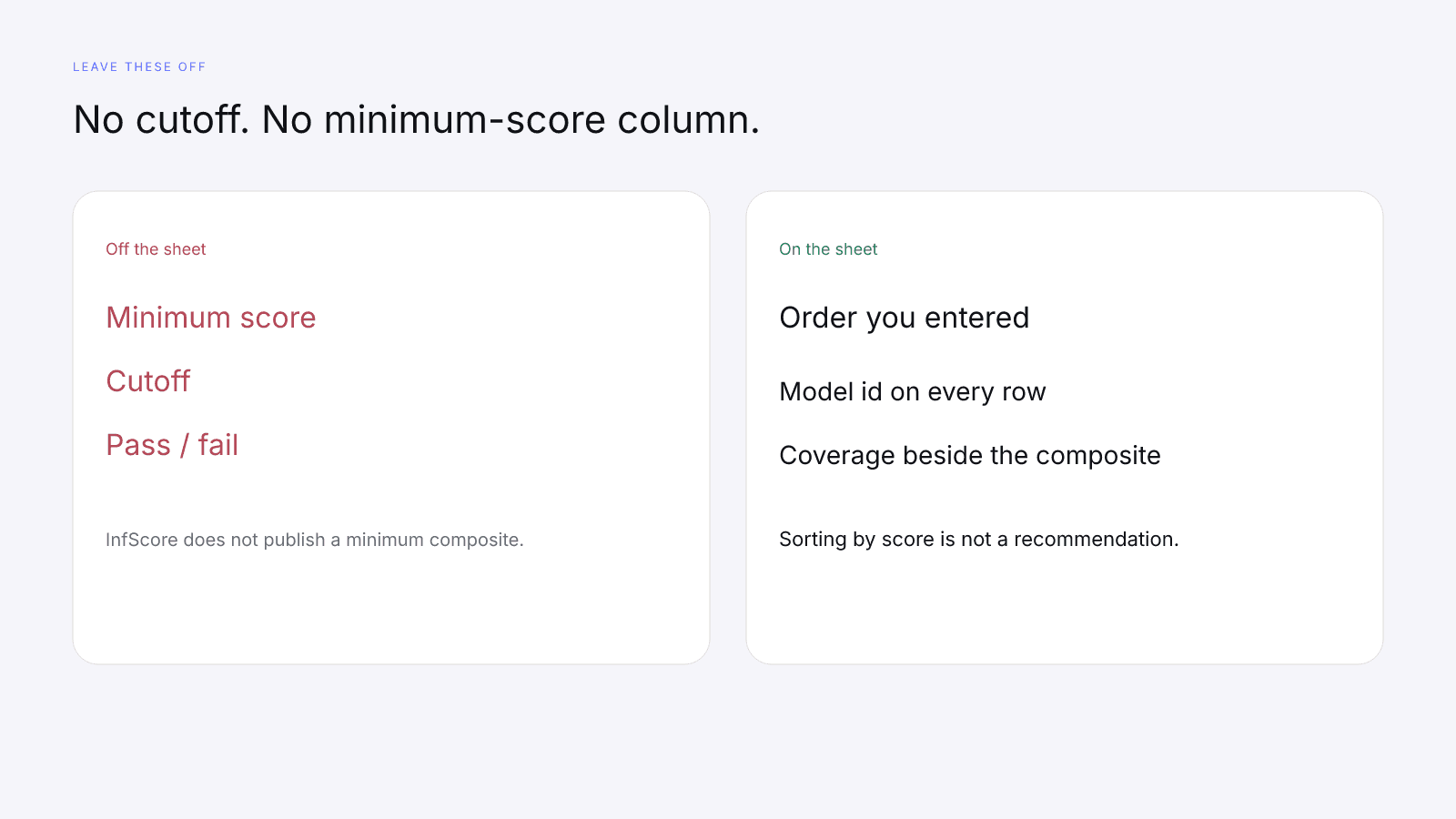
Leave any minimum-score, cutoff, or pass/fail column off the sheet, since InfScore doesn't publish a minimum composite.
Sorting by score is not a recommendation. Keep the rows in the order you entered them. Sorting the composite column only changes the view, it doesn't pick anyone, and it can't turn different model ids or requested platforms into one list. In the example above, 54, 52, 48 is only the order the rows were entered; it isn't a ranking, and C's TikTok row isn't read against A and B.
Growth, demographic, or credibility figures don't get their own column unless it's labelled "paid report, when provided". Write a dash where the card shows a dash, and keep an Instagram row and a TikTok row as two rows. Use the public score URL rather than a screenshot, which can crop the model id, the coverage line, or the dash, and quote the tier label exactly as the card prints it.
A stack of per-creator PDFs isn't an export of your sheet either.
FAQ and next steps
Search a public profile at infscore.com. The card is public and needs no sign-up.
For the one-time $0.99 report, see Pricing. It doesn't export this sheet.
What should an influencer shortlist template include?
Card columns copied from each free public card: creator handle, requested platform, public score URL, model id, the date you viewed the card, composite, tier label as shown, coverage %, AQ, Eng, RM, PS, Total public followers, and Avg. engagement (provider-reported). Then manual columns for fit, content review, rates, usage rights, and notes. There's no minimum-score column.
Does InfScore have a shortlist, compare, or export tool?
No. InfScore has no compare, shortlist, or sort feature, and no spreadsheet or CSV export of creator rows. The sheet is yours. The paid PDF is per-creator and isn't a shortlist, since it has no score, no tier label, no model id, and no coverage.
Can I compare creators across platforms or model ids?
Write both on every row, and read rows together only when the model id and the requested platform match. Don't rank across them: a different model id is a different scale, and Instagram, TikTok, and YouTube are separate lookups. Sorting by score is not a recommendation.
What do I put in a row when a factor is a dash?
Write the dash. It's missing data, not 0, so that factor is held out of the composite and coverage drops. Unavailable is different: the card shows no score, so the row gets the word Unavailable instead of a number. Paying doesn't fill a dash.
Should I set a minimum InfScore for my shortlist?
No. Leave any cutoff or minimum-score column off the sheet, because InfScore doesn't publish a minimum composite. It is not a percentile, price estimate, or guarantee of campaign results. Fit, content review, rates, and usage rights are checks you make yourself.
Do I need the paid report to fill the sheet?
No. The free public card fills the card columns. The $0.99 purchase is the full creator report, with audience, growth, and platform deep dives when they exist. It keeps the free card's score and doesn't fill a dash.