Creator Not Found or Unavailable on InfScore: What It Means
Creator not found on InfScore: what the 404 page, the Unavailable card, and the temporarily unavailable card mean, and what to check before you search.
This versioned composite uses only available public signals. Missing factors stay unavailable and their weight is rebalanced across observed factors. It is not a percentile, price estimate, or guarantee of campaign results. Model 2026-08-18.1.
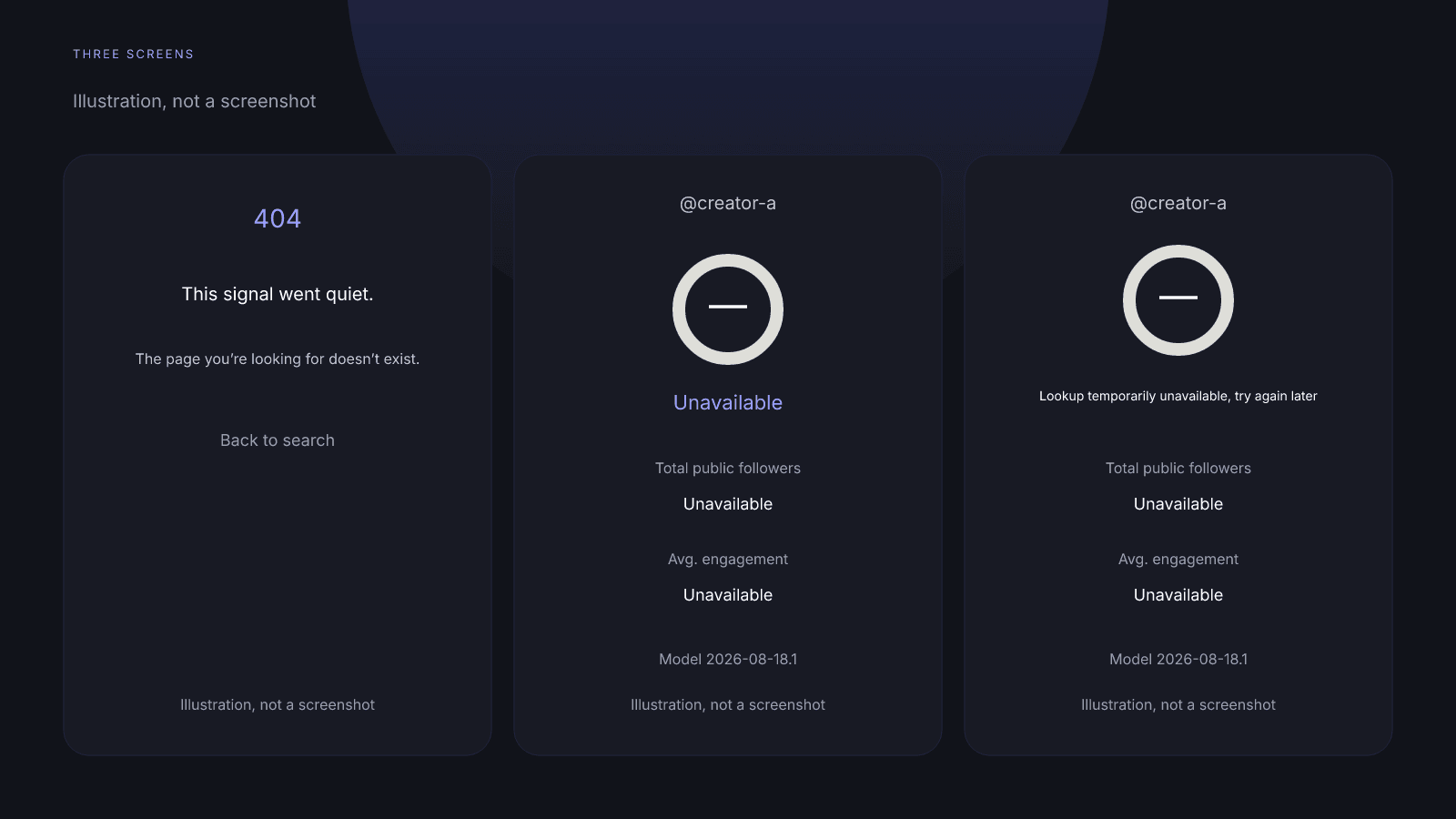
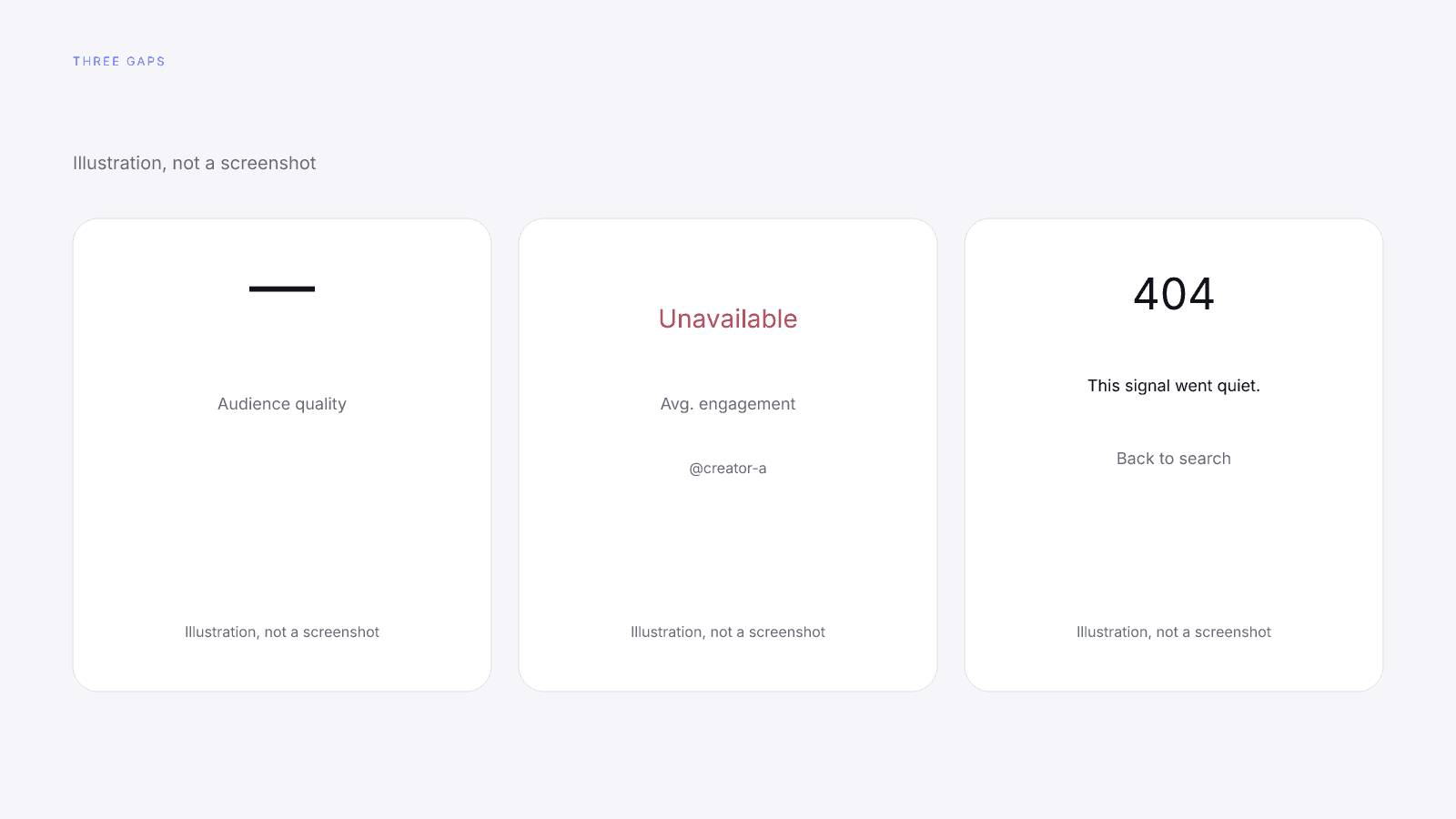
Creator not found on InfScore can mean one of three screens: a 404 page that says "This signal went quiet.", a card with a dash where the score should be and "Unavailable" in the coverage line, or a card that says "Lookup temporarily unavailable, try again later". They're not a score of 0, and none is a verdict on the creator. Each one shows something different, and there are three things to check before you search again.
Three screens you can land on instead of a score
After a search, InfScore can show a 404 page, an Unavailable card or a temporarily-unavailable card where you expected a 0–100. If a score is already stored for that handle on the app you searched, InfScore shows that score instead of any of these screens. So these screens come up only when InfScore has no score for that handle on that app.
| Screen | What you see | What it is not |
|---|---|---|
| 404 page | 404; "This signal went quiet."; "The page you’re looking for doesn’t exist."; "Back to search" | Not a score of 0 or a verdict on the creator |
| Unavailable card | Dash ring; coverage "Unavailable"; factor rows —; no unlock button and no $0.99 on the card | Not a 0 or a verdict on the creator |
| Temporarily unavailable card | "Lookup temporarily unavailable, try again later"; no tier; no $0.99 | Not the 404 page, and not a 0 |
Which screen you see depends on how that one lookup went. The 404 page means the lookup finished and found nothing usable. The two cards mean no usable data came back, or the lookup couldn't run just then. The drawings use creator-a as a placeholder handle.
The 404 page that says "This signal went quiet."
When the lookup completes and no usable profile exists, you'll see a 404 page. It reads "This signal went quiet." It isn't a score of 0, and it says nothing about the creator.
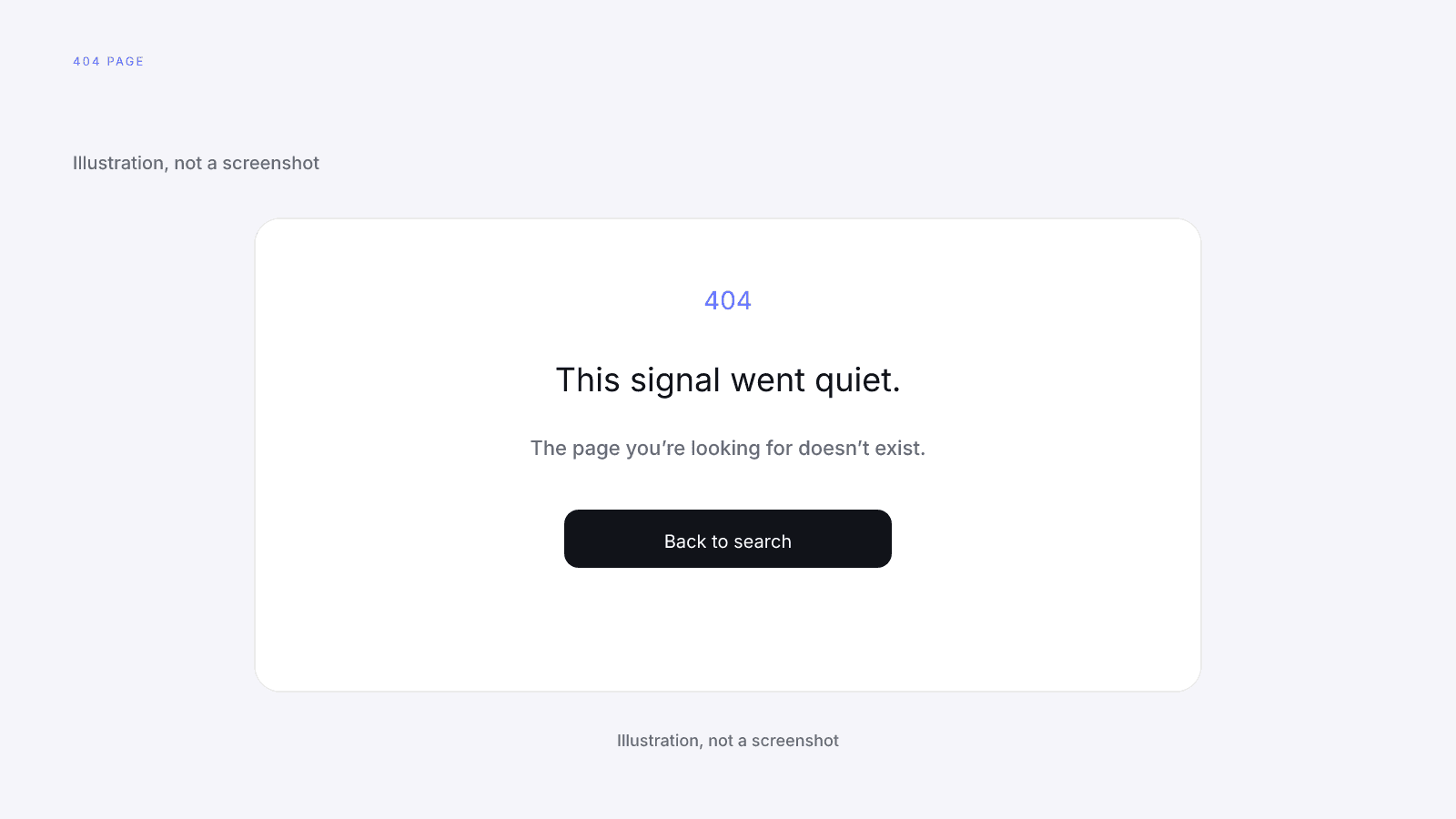
The page prints a large 404 above that line, then "The page you’re looking for doesn’t exist." and a "Back to search" control. That second line is the site's generic 404 text, not a statement about the creator.
Not found means InfScore's data source has no usable public profile for that handle on the app you searched, or it has one with no followers and no engagement. Either way, the 404 is the empty result of one completed lookup on one app. It doesn't grade the creator's content, audience or fit, and it doesn't say the creator has no following on another app.
Nothing on the page is specific to the creator. It doesn't name the handle you searched, and it has no dash ring, factor grid, composite, coverage line or model id. It isn't a scored card with blank cells, so the reading stops at the page. If you keep notes, write that you saw the 404 page and leave the score cell empty rather than putting a number in it.
The Unavailable card with a dash ring
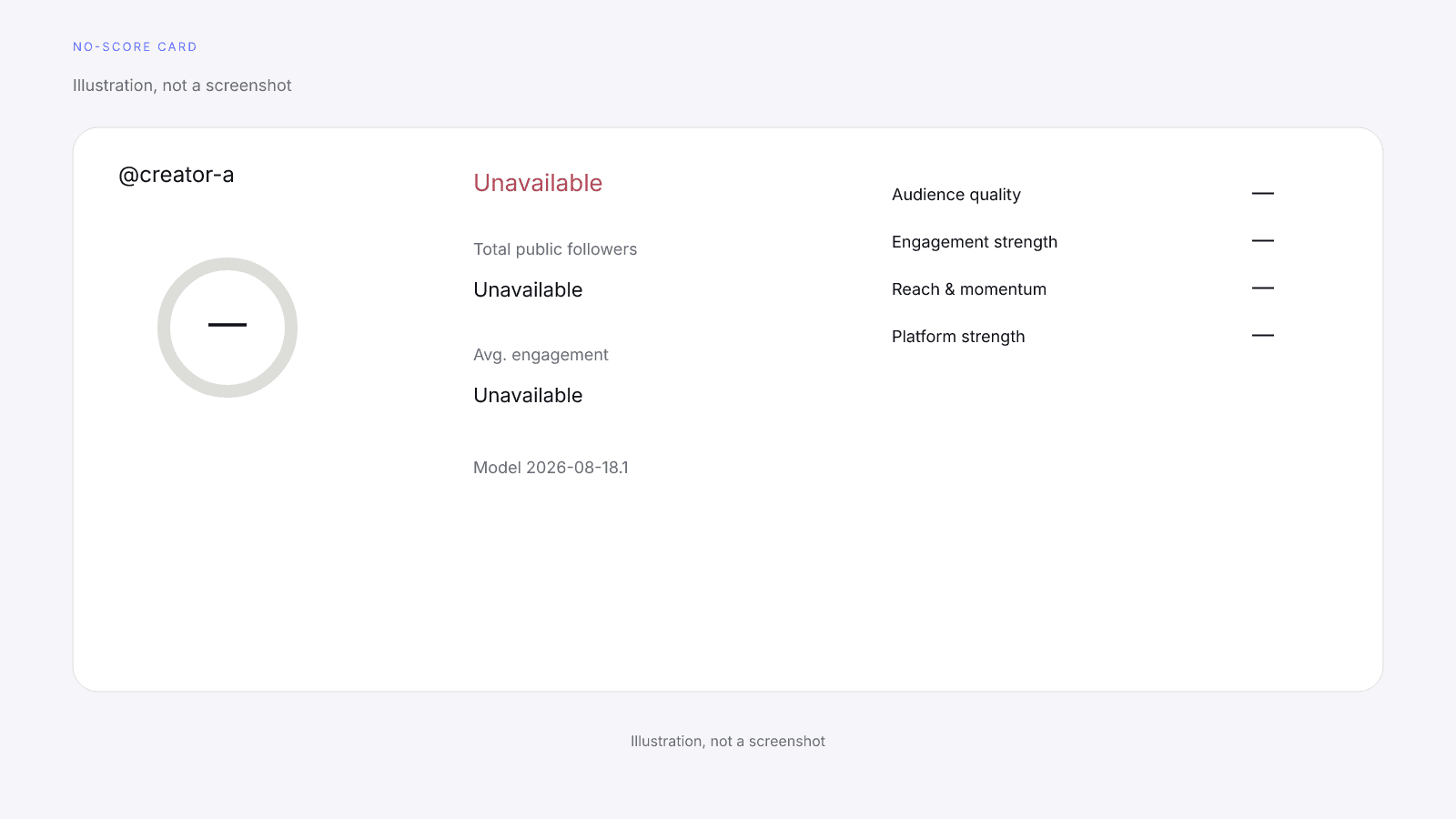
If the lookup couldn't return usable data, the card shows no score, just a dash, and the coverage line reads "Unavailable". That isn't a 0 and it isn't a verdict on the creator. There's no tier and no unlock button.
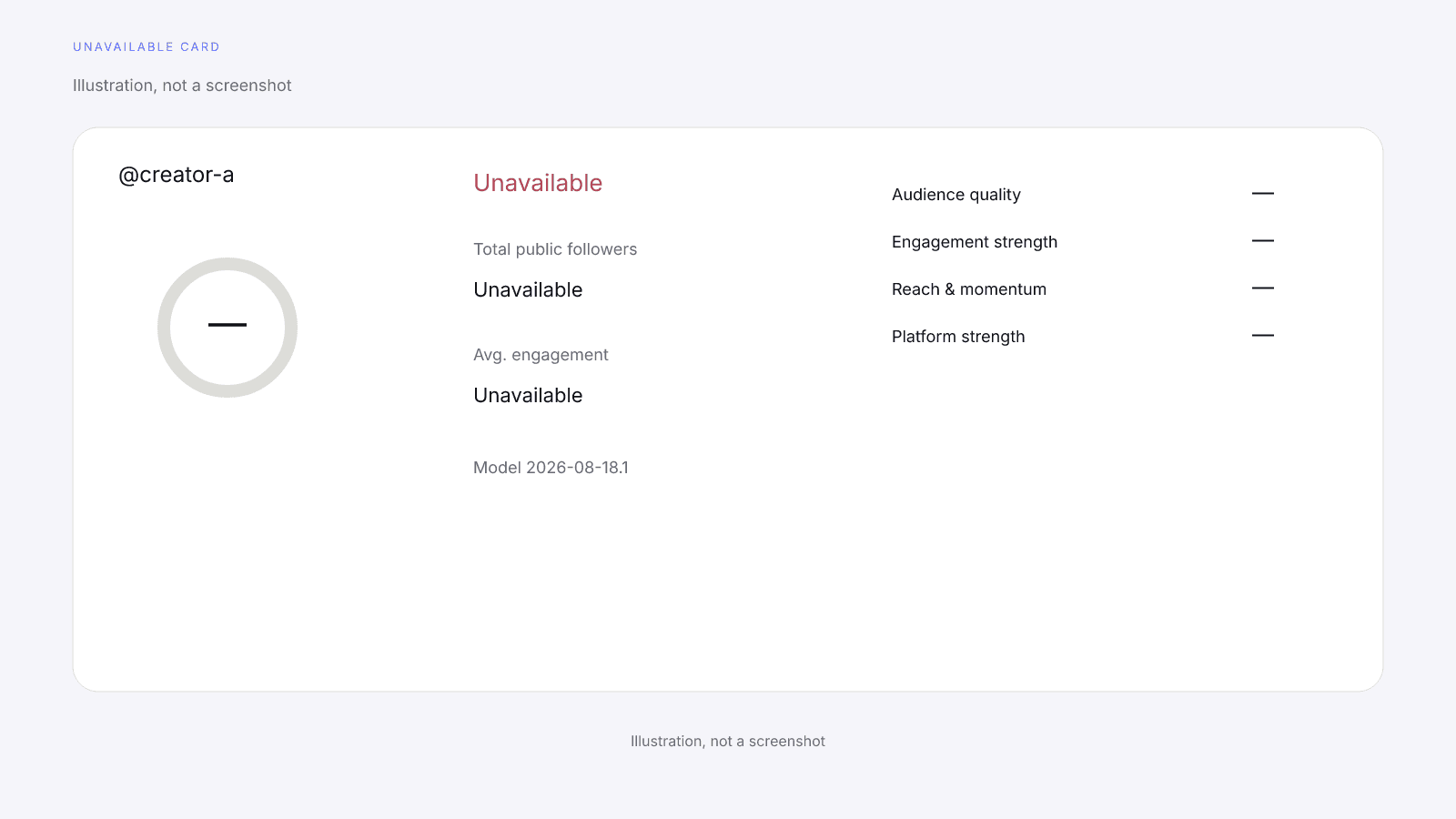
Unlike the 404 page, this is a card. Where the 0–100 would sit, the ring holds a dash, and there's no tier pill. The word "Unavailable" shows in three places: the coverage line, Total public followers and Avg. engagement. The four factor rows print "—" instead. The card prints its model id, Model 2026-08-18.1, even when there's no score. The model is versioned. On model 2026-08-18.1 the model's weights are 32% audience quality, 27% engagement strength, 23% reach and momentum and 18% platform strength. Those weights describe how the model builds a scored card, and on this card they don't turn the dash into a composite.
A dash on one factor row is explained in Missing Data on Creator Metrics. Scoring coverage is the share of model weight that had data. On a card with no score, that line reads "Unavailable" instead of a share. Card terms such as coverage, dash and requested app are defined in the Influencer Marketing Glossary: Terms Behind a Creator Scorecard.
A factor with no data shows a dash, so the dash records an absence rather than a low reading. If you log this card, write Unavailable in the score cell instead of a 0 or a blank that someone could later read as a number.
The card that says the lookup is temporarily unavailable
Sometimes the card shows "Lookup temporarily unavailable, try again later" in place of a score. That means the lookup couldn't run just then. It isn't Not found, it isn't a 0, and there's no unlock button.
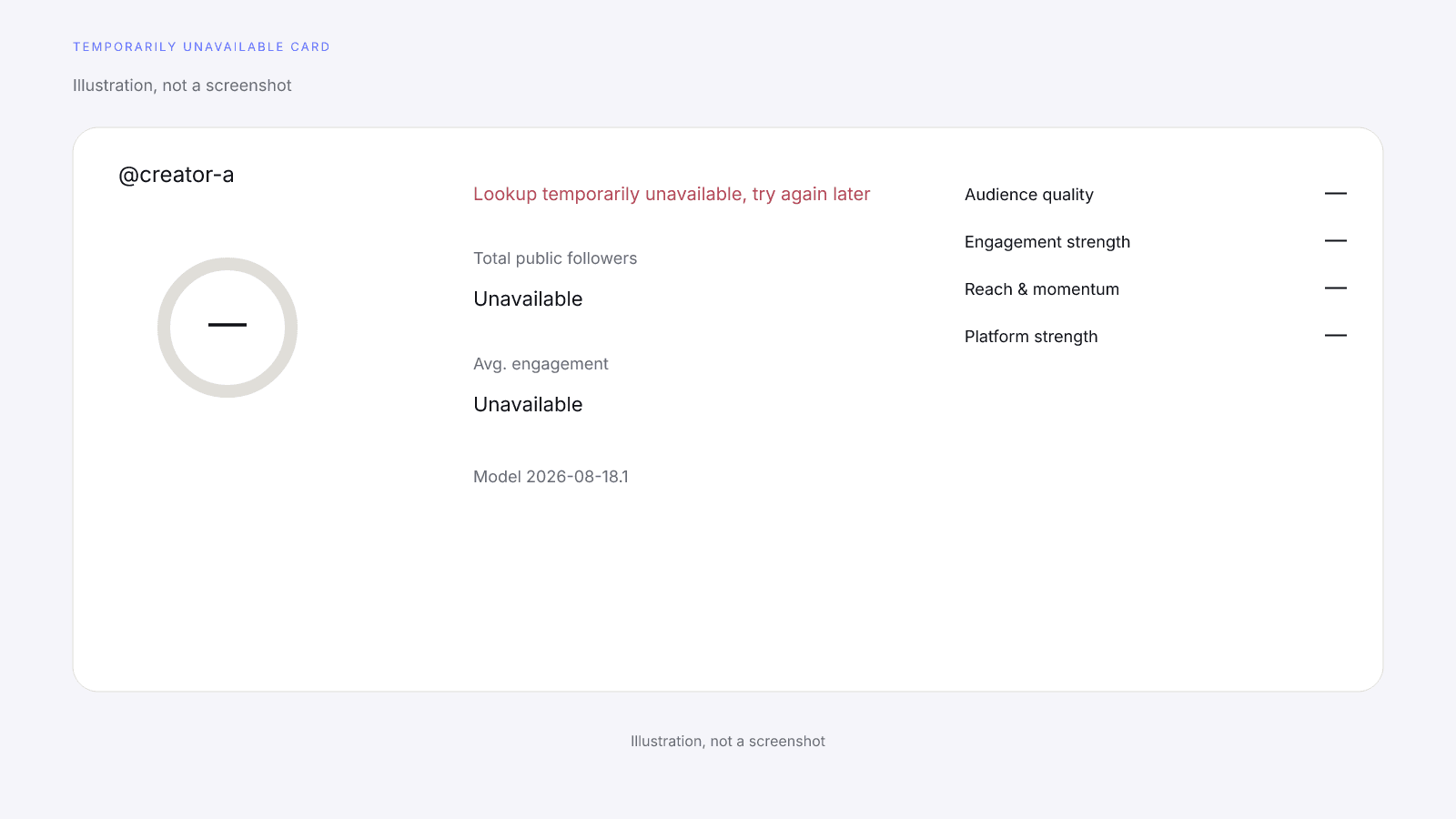
The quoted line is the card's own text, and it sits in the coverage slot where the Unavailable card prints "Unavailable". The rest of the card looks like the Unavailable card: a dash in the ring, a dash on each factor row, no tier pill and no $0.99. Total public followers and Avg. engagement read "Unavailable" on this card as well, and it prints the model id, Model 2026-08-18.1.
The card doesn't give a reason, and it doesn't tell you whether the profile exists. It tells you nothing about the creator's work, audience or fit, and the quoted line isn't a timeline. To record this card, copy the coverage slot as printed, in quotes, instead of swapping in Unavailable, Not found or a 0.
What to check before you search again
Before you search again, confirm three things yourself: the spelling of the handle, the app you searched, and the URL you pasted. Getting them right doesn't promise a score on the next search.
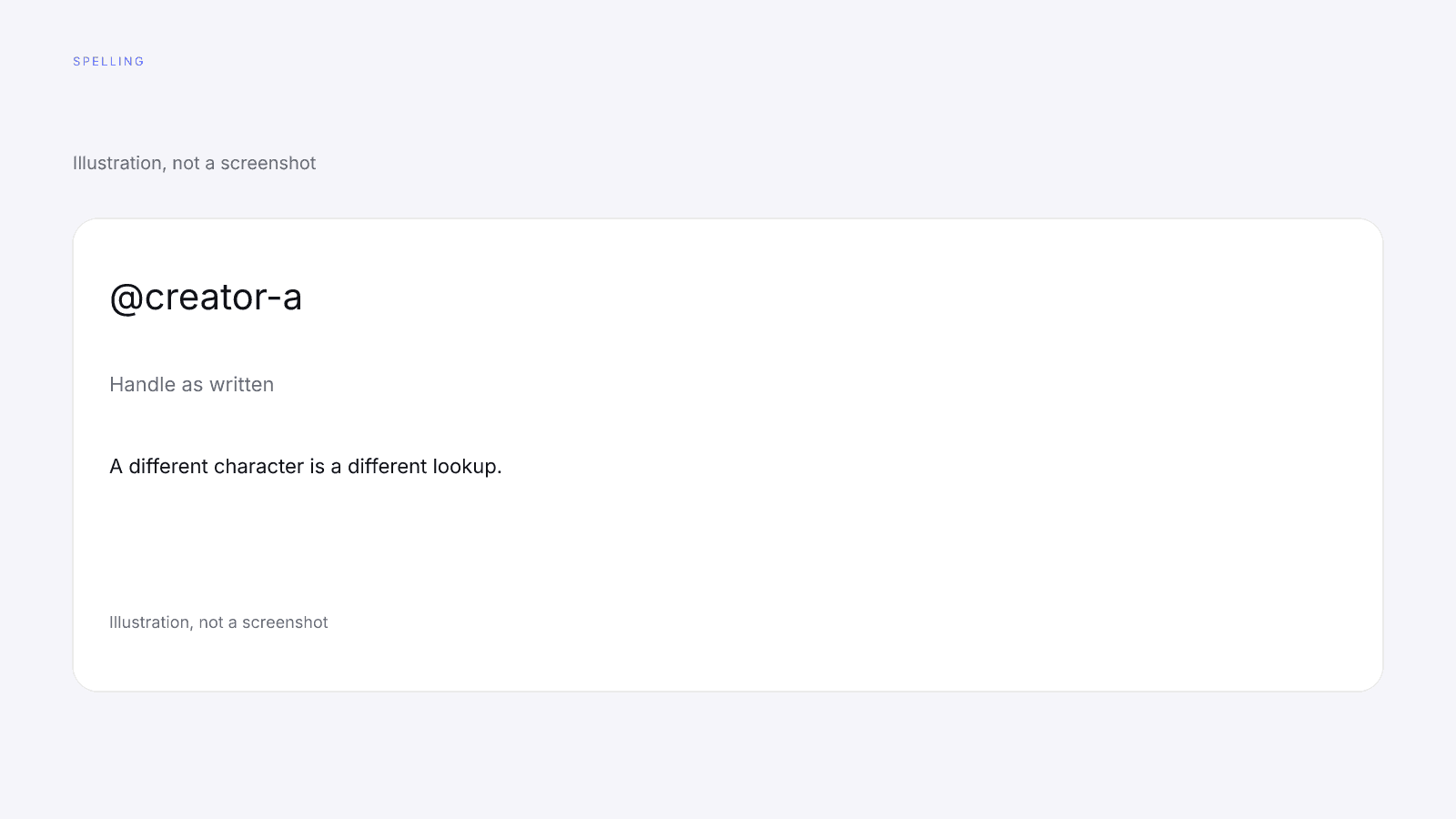
Check the spelling of the handle, and make sure you searched the right app. A bare @handle searches Instagram, so paste the creator's TikTok or YouTube profile URL to search those. That holds even when the creator mostly posts on TikTok or YouTube: the bare handle is still an Instagram search. A transposed letter makes it a different handle, so compare each character with the profile you meant. Dots and underscores count as characters too, so check those as well.
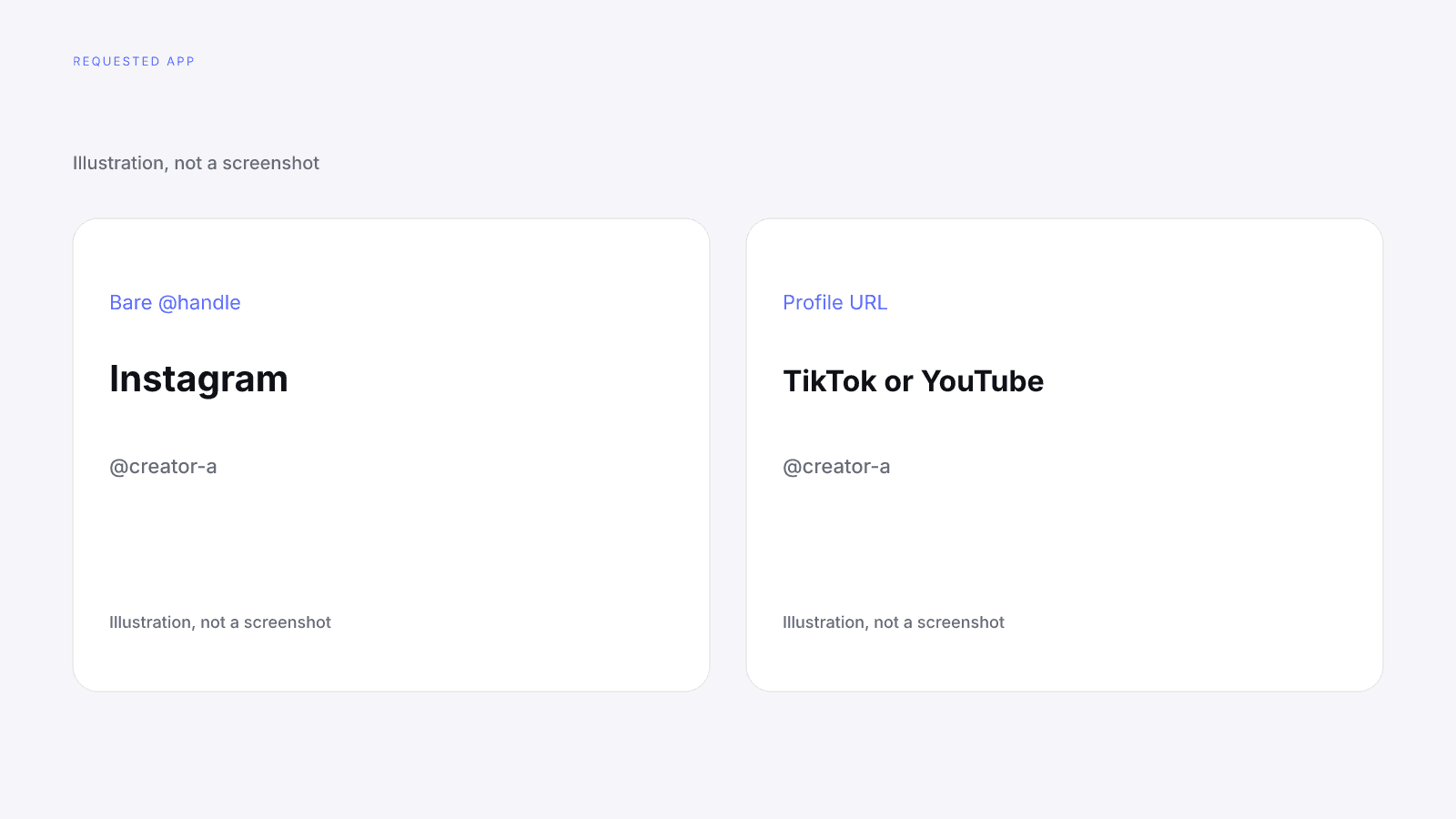
The app matters as much as the spelling. A TikTok profile and an Instagram profile that share a handle are still two lookups, and each one gets its own result. Cross-Platform Creators covers requested-app lookups.
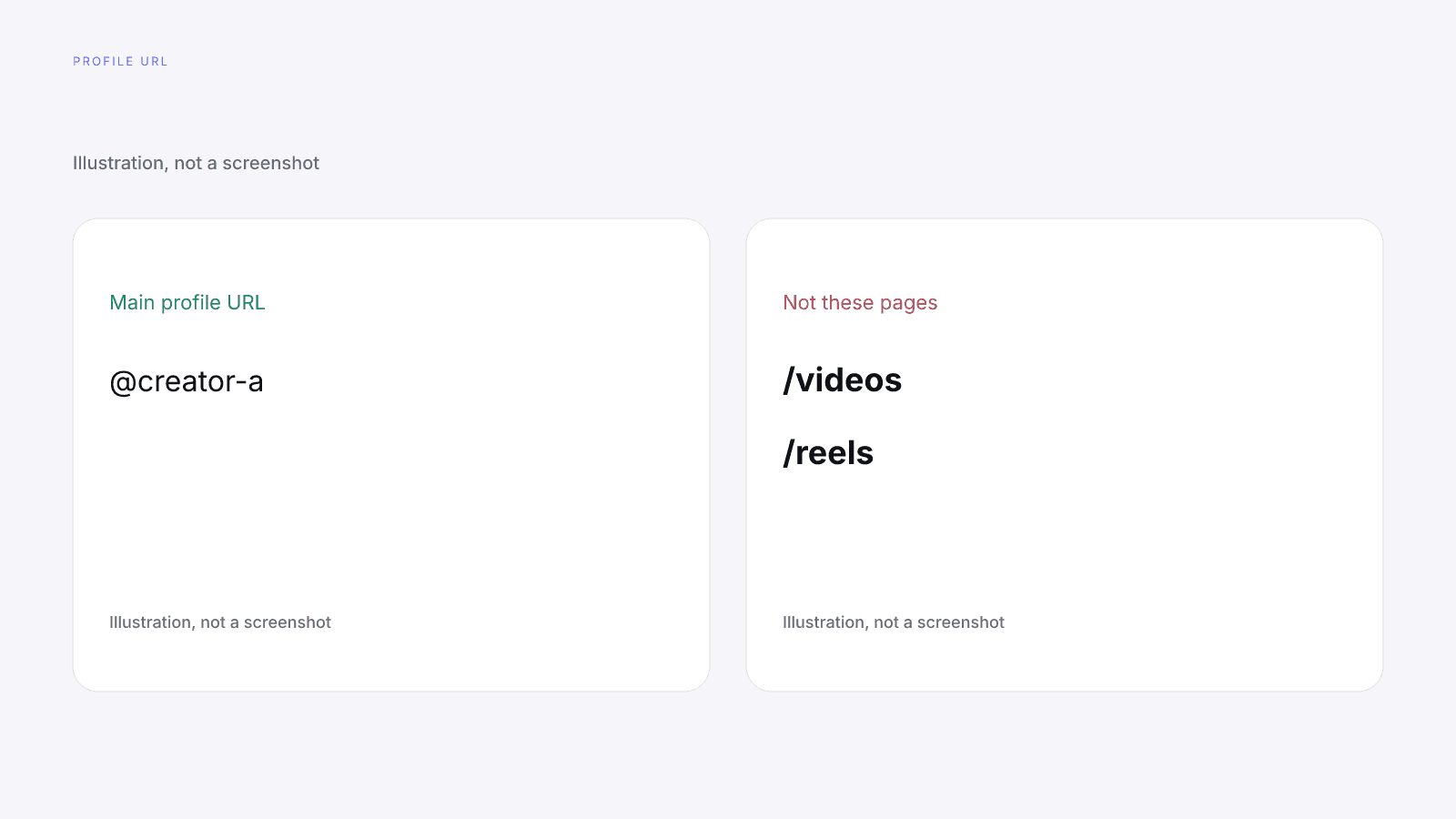
Use the creator's main profile URL, not a /videos or /reels page. The same goes for a link to a single post or video: paste the profile page itself.
If a score is already stored for that handle on the app you searched, InfScore shows that score instead of any of these screens. That scored card is the one to read, with its own model id and coverage line. The 404 page and the two no-score cards are what you get when there's no score to show.
If you still need to assess that creator after these checks, the vetting is yours: content, fit, rates and terms. How to Vet an Influencer Before You Pay Them sets out that order. InfScore doesn't run those checks, and a 404 page or a card with no score doesn't answer any of them. When there's a score, it's a public-signals starting point for those checks, and it doesn't replace them.
Why none of these is a zero, and why there is nothing to buy
A 404 page, an Unavailable card and a temporarily-unavailable card all mean missing data or no result. None of them is a versioned composite you can file next to a scored handle. A dash or "Unavailable" isn't a 0. Unavailable means no usable data came back for that lookup. A 0 would say the model measured the creator and found nothing. A dash says one factor had no data to measure, and "Unavailable" says the same about the whole lookup.
The composite is a versioned 0 to 100 number built from four public factors. It is not a percentile, price estimate, or guarantee of campaign results. None of the three screens is that number or stands in for it, and none of them means the creator scored nothing on the model.
You can't buy a report for a creator with no score. The $0.99 unlock button only appears on a scored card. None of the three screens has one, so there's nothing to purchase from them.
When a scored card shows an unlock button, that purchase is the full creator report, with audience, growth, and platform deep dives when they exist. It's one-time, per creator, not a subscription. The free card has no demographics. Paying doesn't fill a dash. No field is guaranteed after paying. Free InfScore vs the $0.99 Report: What Actually Changes sets the two views side by side.
FAQ and next steps
Look up a creator's free InfScore at infscore.com, with the spelling, the app and the main profile URL checked first.
See what the $0.99 report includes on Pricing. You buy it per creator, from that creator's scored card.
What does creator not found mean on InfScore?
When the lookup completes and no usable public profile exists for that handle on the app you searched, InfScore shows a 404 page. That page isn't a score of 0. It says nothing about the creator.
Does the 404 page mean the creator is private, banned or deleted?
No. The 404 page doesn't say why, and InfScore can't tell. It says only that no usable public profile came back for that handle on the app you searched. It isn't a verdict on the creator.
What does Unavailable on a card mean?
No usable data came back for that lookup. The card shows a dash ring, no tier and no unlock button. That isn't a 0, and it isn't a verdict on the creator.
What does "Lookup temporarily unavailable, try again later" mean?
That's the card's own text. It means the lookup couldn't run just then. It isn't Not found, it isn't a 0, and there's no unlock button.
What should I check before I search again?
Check the spelling of the handle, and make sure you searched the right app. A bare @handle searches Instagram, so paste the creator's TikTok or YouTube profile URL to search those. Use the creator's main profile URL, not a /videos or /reels page.
Can I buy a report for a creator with no score?
No, you can't buy a report for a creator with no score. The $0.99 unlock button only appears on a scored card. On that card, the purchase is one-time, per creator, not a subscription: the full creator report, with audience, growth, and platform deep dives when they exist. No field is guaranteed after paying.
If InfScore already has a score for a handle on that app, will I still see these screens?
No. If a score is already stored for that handle on the app you searched, InfScore shows that score instead. The 404 page, the Unavailable card, and the temporarily-unavailable card are what you get when there's no score to show for that handle on that app.